
Written by David Miller, Senior Streaming Systems Architect | TiviMate HD Tech Lab
Topic: Live Television & Sports Streaming Directory, Blackout Bypass & Cord-Cutting Infrastructure
✔ Verified & Fact-Checked against 2026 Sports Broadcast Rights
For millions of cord-cutters and sports fans worldwide, the simple question of where to watch tonight’s big game or television premiere has become one of the most frustrating puzzles in modern entertainment. A decade ago, answering where to watch was straightforward: you tuned your cable box to ESPN, Fox, or NBC. Today, the global television broadcasting landscape has splintered into dozens of competing, walled-garden streaming services.
If you want to follow American football, European soccer, basketball, and combat sports, you are suddenly told that one game is exclusively on Peacock, another is locked behind Paramount+, Thursday games are on Amazon Prime Video, regional baseball is trapped on a regional sports network (RSN) app, and Pay-Per-View fights demand an extra $80 each. To access everything legally through standard consumer apps, households must juggle six to eight separate subscriptions costing upwards of $160 every month, while still running into infuriating regional blackout screens.
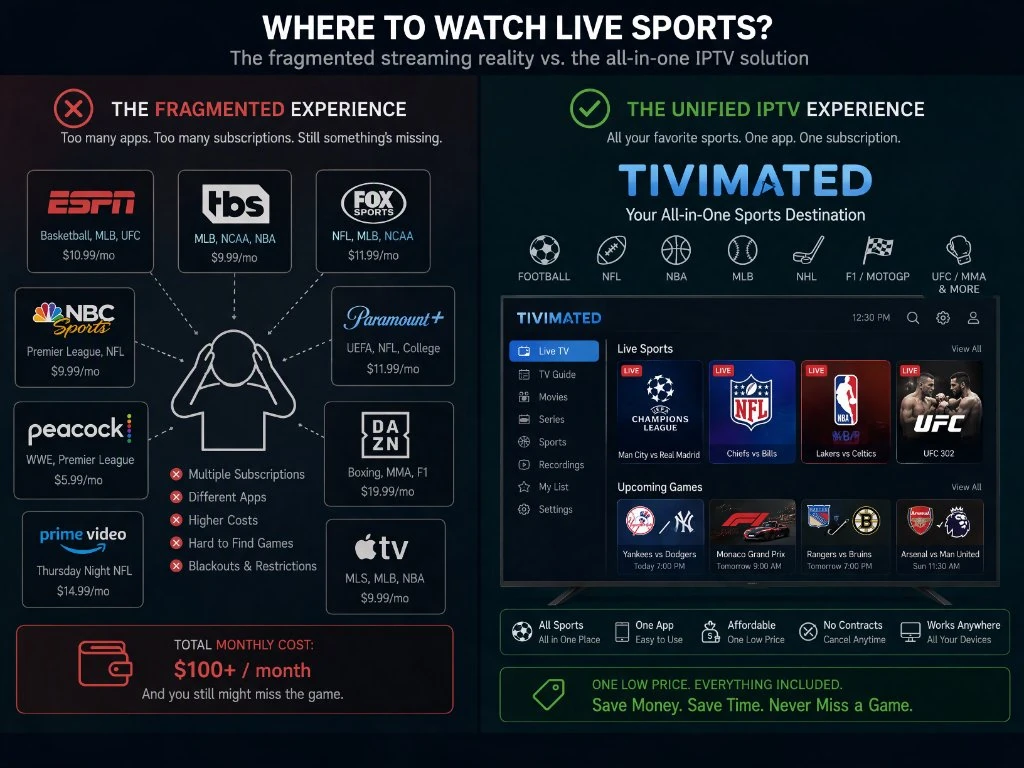
In this comprehensive broadcast guide from the TiviMate HD Tech Lab, we provide an authoritative master directory showing exactly where to watch every major sporting league and live television channel in 2026, expose the hidden costs of streaming fragmentation, and show you how to consolidate your entire viewing experience into a single, buffer-free platform.
The Streaming Fragmentation Problem: Why Finding Where to Watch is Broken
The modern streaming ecosystem is suffering from severe corporate balkanization. Major media conglomerates have pulled their premium content from unified cable packages to build their own direct-to-consumer applications.
This fragmentation creates three severe friction points for viewers:
- Staggering Monthly Subscription Bloat: Subscribing to YouTube TV ($72.99/mo) plus Peacock ($7.99/mo), Paramount+ ($7.99/mo), ESPN+ ($11.99/mo), Apple TV+ MLS ($14.99/mo), and Amazon Prime ($14.99/mo) pushes total monthly streaming costs past $130 before purchasing a single Pay-Per-View fight.
- App-Switching Fatigue & Missed Kickoffs: Viewers spend 15 minutes before every game searching social media and forums just to figure out which specific app owns the broadcast rights for their team that evening.
- Regional Blackouts: Standard commercial streaming apps use IP geolocation to enforce strict regional broadcast restrictions. Even if you pay for NBA League Pass or MLB.TV, games featuring your local hometown team are blacked out because local cable networks hold exclusive regional rights.
Master Directory: Where to Watch Major Sports Leagues in 2026
The following directory breaks down broadcast rights for major sports leagues, comparing the traditional fragmented app ecosystem with the unified solution offered by TiviMate HD:
| League / Sporting Event | Fragmented Official Apps | Monthly Cost of Official Apps | Where to Watch on TiviMate HD |
|---|---|---|---|
| NFL (Sunday Games & RedZone) | YouTube TV, NFL+, Peacock, Prime | $105.00+ / month | Dedicated NFL Sunday Ticket & RedZone in 60 FPS |
| English Premier League | Peacock, USA Network, FuboTV | $80.00+ / month | Full 380 Matches via NBC, Peacock & Sky Sports |
| UEFA Champions League | Paramount+ / CBS Sports Golazo | $7.99 to $12.99 / month | Every Match live in 4K & FHD with English audio |
| NBA (Regular Season & Playoffs) | NBA League Pass, TNT, ESPN, ABC | $85.00+ / month | All 30 Team feeds with zero local market blackouts |
| UFC (Numbered PPVs & Fight Nights) | ESPN+ ($11.99) + $79.99 PPV fee | $91.98+ per event | All Main Cards & Prelims included in 60 FPS |
| Formula 1 Grand Prix | F1 TV Pro or ESPN / ESPN+ | $12.00 to $15.00 / month | Sky Sports F1 4K, ESPN & Dedicated Driver Cams |
| MLB (Baseball Regular Season) | MLB.TV ($29.99/mo), Apple TV+, ESPN | $60.00+ / month | Every Home & Away feed with no regional blackouts |
| NHL (Ice Hockey) | ESPN+, Hulu, TNT, Regional RSNs | $55.00+ / month | Complete Center Ice package and Canadian feeds |
The Three Options for Watching Live Television in 2026
When deciding where to watch live television and sports, cord-cutters have three primary pathways, each with significant tradeoffs:
Option 1: The Multi-App Subscription Route (Expensive & Clunky)
You maintain separate paid subscriptions to YouTube TV or Hulu + Live TV, alongside standalone accounts for Peacock, Paramount+, and standalone league passes.
- Pros: 100% official commercial apps directly from Google Play or Apple App Store.
- Cons: Extremely costly ($120 to $180 every month), constant password switching, different user interfaces, and frequent regional blackout restrictions during local games.
Option 2: Free Scraper Websites (High Risk & Unusable)
You search Reddit or Google for free streaming links on sites like StreamEast or VIPRow.
- Pros: Free of charge.
- Cons: Plagued by aggressive malicious pop-ups, crypto-mining scripts, and phishing redirects. Streams are broadcast in compressed 720p at 25 FPS with massive 90-second delays, and servers crash constantly during the final minutes of championship matches.
Option 3: Unified Private IPTV via TiviMate HD (The Pro Standard)
You connect a single, enterprise-grade private IPTV pass to a dedicated media player like TiviMate on your Amazon FireStick, Apple TV, or Smart TV.
- Pros: Over 25,000 live channels in one unified guide. All sports packages, 4K movies, and local news networks in fluid 60 FPS with zero blackouts. One fixed, transparent pass starting at just $11.99. Check our best sports IPTV service 60 FPS guide for visual smoothness tests.
- Cons: Requires initial 3-minute setup to input your private M3U8 or Xtream Codes credentials into your media player.
Where to Watch by Device: Hardware Recommendations
To ensure fluid 60 FPS sports playback without micro-stutter, your choice of streaming hardware is just as important as your streaming service. Review our comprehensive evaluation of the best IPTV streaming devices for deeper benchmarks.
Here is where and how to watch across major devices:
- Amazon Fire TV Stick 4K Max (Top Value Pick): The undisputed favorite among cord-cutters. Its powerful quad-core processor handles high-bitrate H.265 video effortlessly and natively supports TiviMate IPTV Player. Follow our best IPTV app for Android guide for installation steps.
- NVIDIA Shield TV Pro (Ultimate Enthusiast Pick): Features an ultra-fast Tegra X1+ processor with AI 4K upscaling. Capable of running TiviMate’s 9-screen Multi-View without a single dropped frame.
- Apple TV 4K (Best for Apple Ecosystem): Delivers exceptional processing power. Pairs beautifully with top iOS/tvOS IPTV players like UHF, iPlayTV, or GSE Smart IPTV.
- Samsung & LG Smart TVs: While Samsung Tizen and LG webOS do not natively run Android .apk files, you can easily install IBO Player or IPTV Smarters Pro directly from the TV app store to stream your private playlist. Read our best IPTV app for Smart TV guide for OS specific tutorials.
- Windows PC & Mac: Stream live television directly at your desk using VLC Media Player, IPTV Smarters Lite for Windows, or BlueStacks emulator running TiviMate.
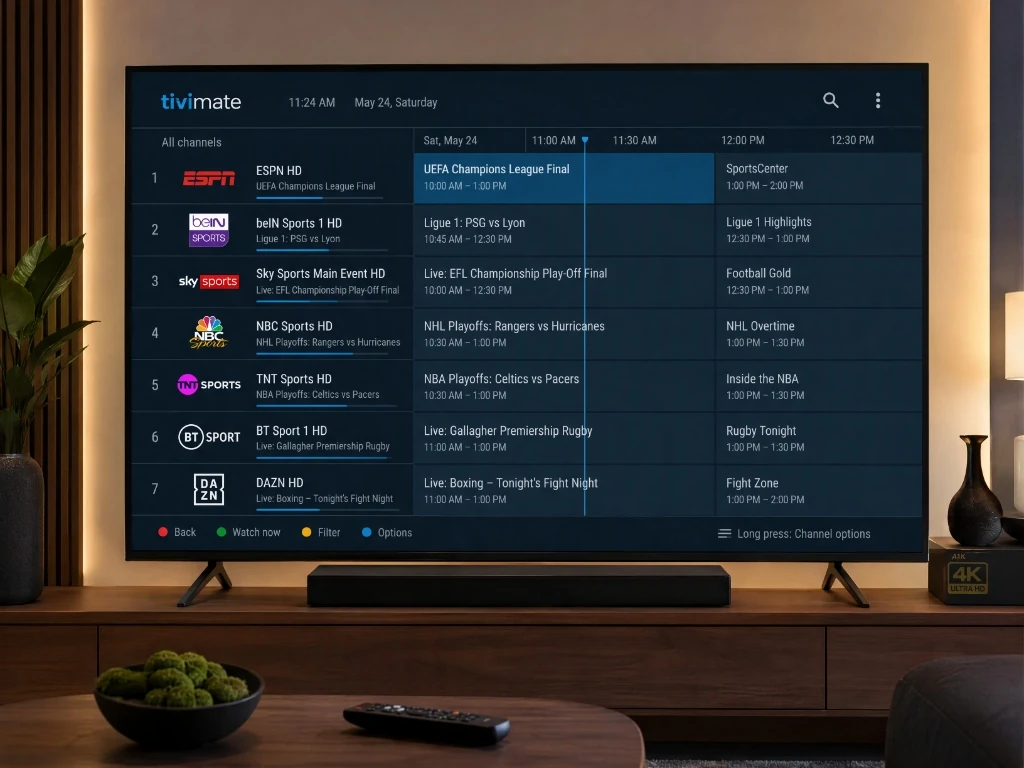
How to Eliminate Regional Blackouts and Geo-Restrictions
One of the most infuriating experiences for sports fans is opening an app they paid for, only to read: “This event is blacked out in your regional market.”
Broadcasters enforce blackouts to protect local regional sports networks (RSNs) that pay millions for exclusive local cable carriage rights.
When you stream through TiviMate HD, regional blackouts become obsolete:
- Direct National and International Feeds: Because our network captures master satellite feeds from both home, away, and international broadcast rights-holders, you can watch your home team’s local broadcast regardless of your physical location.
- No IP Address Blacklist Filters: Our servers deliver pure video streams over encrypted edge nodes without enforcing artificial municipal geographic boundaries.
- Optional VPN Layering: If your local Internet Service Provider throttles live video traffic during prime evening hours, pairing your connection with a fast service guarantees an unthrottled, encrypted viewing tunnel. Explore our recommendations in the best VPN for IPTV streaming guide.
Why TiviMate HD is the Ultimate “Where to Watch” Solution
Stop wasting precious time searching online forums for working links or paying hundreds of dollars each month for fragmented subscriptions. TiviMate HD solves the “where to watch” problem once and for all:
Select Your Private Streaming Pass:
Frequently Asked Questions
Where can I watch live sports online without cable?
You can watch live sports online without cable through commercial subscription services like YouTube TV, FuboTV, or league-specific apps, but this requires multiple accounts costing over $130 per month. The most cost-effective and comprehensive solution is a private IPTV service like TiviMate HD, which combines all global sports networks into a single, buffer-free M3U playlist for $11.99 per month or $69.99 for a full year.
Why are local sports games blacked out on commercial apps?
Broadcasters enforce local blackouts because regional sports networks (RSNs) pay billions for exclusive distribution rights within specific geographic territories. Commercial apps detect your IP address and block the feed if you are within the home market. Private IPTV services bypass this restriction by providing direct feeds from multiple regional and international broadcast nodes.
Where can I watch NFL games without paying for Sunday Ticket?
Standard NFL Sunday Ticket through YouTube costs over $350 per season. With TiviMate HD, all Sunday afternoon regional games, Sunday Night Football on NBC, Monday Night Football on ESPN, and Thursday Night Football are included in your standard subscription pass in true 1080p60.
Can I watch live television on my phone or laptop while traveling?
Yes. You can use your TiviMate HD credentials on mobile applications like IPTV Smarters Pro or XCIPTV on Android and iOS devices, or via VLC Media Player on Windows and Mac laptops, allowing you to stream your favorite live channels anywhere with an internet connection.
What internet speed do I need to watch live sports in 4K?
For a single Full HD 1080p 60 FPS sports stream, a stable download speed of 25 Mbps is recommended. For 4K Ultra HD live broadcasts, a sustained speed of 40 Mbps to 50 Mbps is ideal. If multiple users share your household Wi-Fi, a broadband speed of 100 Mbps or higher ensures smooth, buffer-free playback.