
Best IPTV App for Smart TV in 2026: Samsung, LG & Android TV Ranked
Table of Contents
Finding the best iptv app smart tv users can trust has become one of the most critical decisions for modern cord-cutters. Smart televisions dominate modern living rooms, with Samsung, LG, Sony, TCL, and Hisense offering brilliant 4K OLED and QLED displays. However, when it comes to live television streaming, Smart TV operating systems present a fragmented, confusing landscape.
Unlike open Android devices where you can install virtually any application with a single click, Smart TVs run closed proprietary software: Samsung uses Tizen OS, LG relies on webOS, while Sony, Philips, and select Hisense models run Android TV / Google TV. Because popular apps like TiviMate are engineered specifically for Android, owners of Samsung and LG televisions often struggle to find reliable native IPTV players that deliver smooth navigation, electronic program guides (EPG), and buffer-free playback.
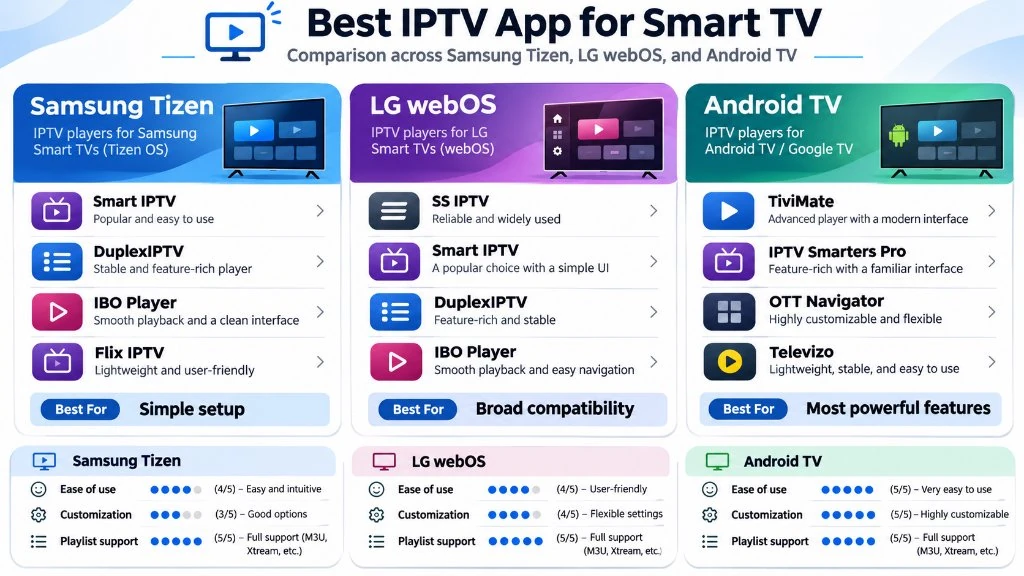
In this definitive guide from the TiviMate HD Tech Lab, we test and rank the top IPTV applications available for Smart TVs in 2026. We examine installation requirements, licensing costs, playback stability, and explain the ultimate hardware workaround that gives any Smart TV the full power of TiviMate.
Smart TV Operating Systems: Why One App Does Not Fit All
To choose the right streaming application, you must first recognize the operating system powering your television display. Media player compatibility is determined entirely by the underlying software ecosystem:
- Samsung Tizen OS: Samsung powers its displays with Tizen, a Linux-based operating system. The Samsung App Store strictly curates available software. Native Android
.apkfiles cannot be installed on Samsung TVs. You must choose players built natively for Tizen (such as IBO Player, IPTV Smarters Pro, or Smart IPTV) and activate them through external web portals using your TV’s MAC address. - LG webOS: Similar to Samsung, LG uses its proprietary webOS platform. While LG Content Store offers several capable streaming apps, memory management is notoriously strict. Heavy playlist manifests can cause unoptimized apps to crash if the TV’s internal RAM fills up.
- Android TV & Google TV (Sony, TCL, Hisense, Philips): Displays running Android TV or Google TV provide open access to the Google Play Store. These TVs can run TiviMate IPTV Player natively, delivering the absolute gold standard in television user interfaces, multi-view sports tracking, and rapid channel switching.
- Hisense VIDAA & Roku TV: Televisions running VIDAA OS or Roku OS are the most restrictive. They lack robust native IPTV applications altogether, requiring external streaming hardware to access private IPTV services.
Top 6 IPTV Apps for Smart TVs Ranked for 2026
Our technical engineering team deployed identical 25,000-channel playlists with 7-day XMLTV EPG data across Samsung Neo QLED, LG C3 OLED, and Sony Bravia Google TVs. We evaluated each app across interface speed, audio bitstream decoding, EPG population time, and stability during high-bitrate live 60 FPS sports broadcasts.
The comparison table below summarizes our comprehensive benchmark findings:
| IPTV Application | Best Operating System | License Cost | M3U / Xtream Support | EPG Grid Speed | Audio Passthrough | Overall Rating |
|---|---|---|---|---|---|---|
| TiviMate IPTV Player | Android TV / Google TV | Free / $33.49 Lifetime | Both (M3U & API) | Instant (< 1.5s) | Full (Dolby/DTS) | 9.9 / 10 |
| IBO Player | Samsung Tizen & LG webOS | 7-Day Free / ~$8.00 Lifetime | Both (M3U & API) | Fast (2.8s) | PCM / Stereo | 9.2 / 10 |
| IPTV Smarters Pro | Samsung, LG, Android TV | Free / In-App Upgrade | Both (M3U & API) | Moderate (4.2s) | Basic Stereo | 8.8 / 10 |
| Smart IPTV (SIPTV) | Samsung Tizen & LG webOS | 7-Day Free / €5.49 Lifetime | M3U Playlist Only | Moderate (5.1s) | Limited | 8.2 / 10 |
| Flix IPTV | Samsung, LG, Android TV | 7-Day Free / €7.99 Lifetime | Both (M3U & API) | Fast (3.1s) | Basic Stereo | 8.5 / 10 |
| Nanomid Player | Samsung Tizen & LG webOS | 14-Day Free / €9.99 Lifetime | Both (M3U & API) | Fast (2.9s) | Full Bitstream | 8.7 / 10 |
Detailed Reviews: The Best Smart TV IPTV Apps Evaluated
1. TiviMate IPTV Player: The Undisputed Champion (Android TV / Google TV)
If your Smart TV runs Android TV or Google TV (standard on Sony, TCL, Philips, and newer Hisense models), TiviMate IPTV Player is the single best application ever created for television streaming.
Developed by Armobsoft FZE, TiviMate delivers an authentic, premium cable and satellite experience. Its polished dark-mode interface, fluid navigation, and deep hardware optimization make it the benchmark against which all other players are judged:
- Lightning-fast TV guide that populates days of scheduling data without memory lag.
- Multi-View functionality allowing you to watch up to 4 live sports games simultaneously in smooth 60 FPS.
- Auto Frame Rate (AFR) matching to synchronize your TV’s refresh rate with the incoming broadcast signal.
- Highly customizable parental controls, channel group reordering, and external storage recording.
- Limitations: TiviMate is exclusively engineered for Android. It cannot be installed natively on Samsung Tizen or LG webOS without an external streaming stick like a FireStick or Google TV Streamer.
2. IBO Player: The Best Native App for Samsung & LG Smart TVs
For owners of Samsung Tizen or LG webOS displays who do not wish to plug in an external streaming device, IBO Player is our top recommended native solution. It is available directly through the official Samsung Smart Hub App Store and LG Content Store:
- Modern, responsive tile interface that navigates smoothly using the Samsung SolarCell or LG Magic Remote.
- Excellent hardware video decoding supporting 4K Ultra HD and 60 FPS H.264/HEVC video streams.
- Simple playlist management via the official IBO Player web portal using your TV’s MAC address and Device Key.
- Supports both standard M3U playlist URLs and high-speed Xtream Codes API connections.
- Pricing: Comes with a 7-day free trial, followed by a one-time lifetime license fee of approximately $8.00 per device.
3. IPTV Smarters Pro: The Universal Multi-Screen Standard
IPTV Smarters Pro remains one of the most widely deployed applications across all television platforms. Available on Samsung, LG, Android TV, iOS, and Windows, Smarters offers familiar multi-screen layouts:
- Comprehensive categorization separating Live TV, Movies, and TV Series into dedicated dashboard hubs.
- Direct Xtream Codes API login directly on your TV screen without needing an external computer.
- Built-in speed test and multi-screen split viewing options.
- Limitations: The interface on Samsung and LG TVs can feel slightly clunky compared to IBO Player, and loading massive playlists with over 50,000 channels can cause the app to slow down on older Smart TV processors.
4. Smart IPTV (SIPTV): The Veteran Workhorse
Smart IPTV (frequently abbreviated as SIPTV) was the original pioneer of Smart TV streaming. Recognizable by its classic red and white logo, SIPTV remains a staple on Samsung and LG TVs:
- Extremely lightweight code footprint that runs reliably even on older Smart TVs manufactured between 2017 and 2020.
- Simple, no-nonsense vertical channel list with instant channel number tuning via physical remote numpads.
- Limitations: SIPTV does not support native Xtream Codes API login; you must upload your M3U playlist URL through the SIPTV website. It lacks modern video-on-demand poster art and advanced audio track selection. Activation costs a one-time fee of €5.49 after a 7-day trial.
5. Flix IPTV: Sleek Design with Subtitle Mastery
Flix IPTV is a newer generation Smart TV application that has gained substantial market share on both Samsung Tizen and LG webOS:
- Beautiful, fluid user interface with customizable themes, background art, and smooth animations.
- Advanced subtitle controls allowing viewers to customize subtitle size, font color, and text background encoding.
- Supports hidden categories, sleep timers, and multiple playlist switching from a single screen.
- Pricing: 7-day free trial, followed by a one-time activation fee of €7.99 per MAC address.
6. Nanomid Player: Enterprise Acceleration & Security
Nanomid Player is engineered for high-performance streaming, featuring a proprietary internal rendering engine designed to reduce dropped video frames on low-powered Smart TV chips:
- Built-in hardware acceleration that optimizes high-bitrate 4K HDR playback on webOS and Tizen.
- Integrated VPN client support on select TV architectures, allowing encrypted streaming without router-level VPNs.
- QR-code mobile pairing for rapid playlist management from your smartphone.
- Pricing: Offers a 14-day free trial, with a lifetime activation pass priced at €9.99.
Step-by-Step Setup: Installing IPTV on Samsung & LG Smart TVs
Configuring an IPTV application on a Samsung or LG television follows a straightforward web portal activation model. Follow these steps to get connected in under five minutes:
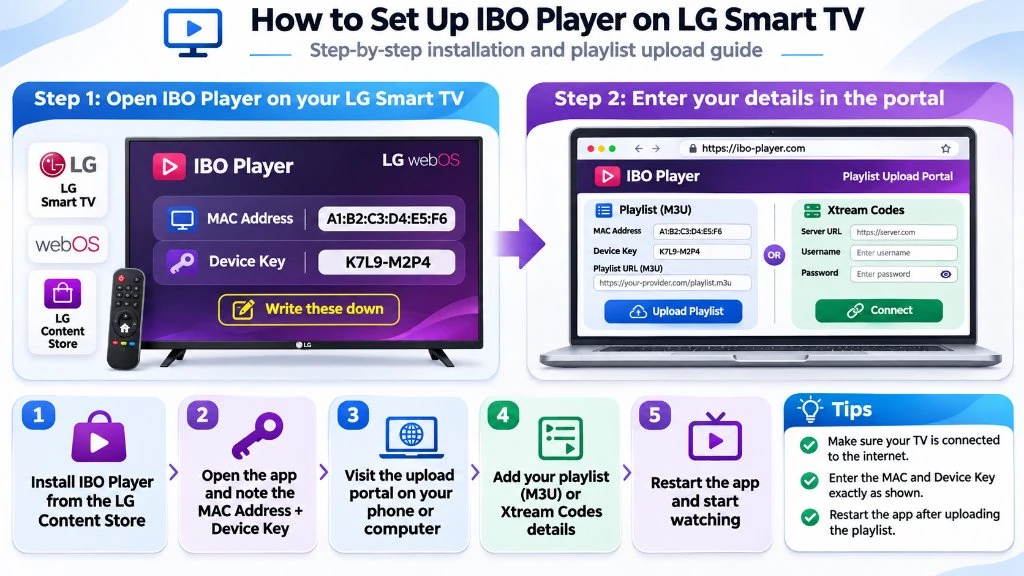
- Install the Application:
- On Samsung TVs: Press the Home button, navigate to Apps (Smart Hub), search for IBO Player (or your preferred player), and click Install.
- On LG TVs: Press the Home button, open the LG Content Store, search for IBO Player, and click Install.
- Retrieve Your Device Identifiers: Launch the installed app on your television. On the welcome screen, take note of two critical pieces of information:
- Device MAC Address (e.g.,
00:1A:79:B2:44:E1) - Device Key (a 6-digit security code generated by the app)
- Device MAC Address (e.g.,
- Open the Activation Portal on Your Phone or PC: Open a web browser on your smartphone or computer and navigate to the player’s official management portal (for example,
https://iboplayer.com/device/login). - Log in with Your TV Credentials: Enter the MAC address and Device Key displayed on your TV screen.
- Add Your Playlist Information:
- Select Add Playlist (Xtream Codes).
- Enter a Playlist Name (e.g., TiviMate HD).
- Enter your Server URL, Username, and Password provided in your TiviMate HD activation details.
- Reload the App on Your TV: Once saved on the portal, return to your television and click Reload / Refresh. Your complete channel lineup, categories, and EPG guide will populate immediately.
Why Native Smart TV Apps Buffer (And How to Fix It)
While native Smart TV applications are convenient, many cord-cutters notice that live streams occasionally buffer or stutter on their TV, even when their broadband connection is fast. Understanding the technical root cause allows you to eliminate buffering entirely:
- Limited TV Processor Power & RAM: Smart TV manufacturers prioritize display panel quality (contrast, color gamut, refresh rate) over raw computing power. Most Smart TVs contain modest dual-core or quad-core mobile processors with only 1.5 GB to 2 GB of RAM. When an IPTV playlist containing 25,000+ channels and 100,000+ VOD titles is loaded, the TV’s memory becomes saturated.
- Weak Internal Wi-Fi Antennas: Smart TV Wi-Fi cards are shielded behind large metal backplates and wall mounts, leading to signal attenuation and micro-packet loss during high-bitrate 60 FPS sports broadcasts.
- Aggressive Background Process Killing: To prevent the operating system from crashing, Tizen and webOS aggressively terminate background tasks, which can clear your stream buffer mid-broadcast.
How to Fix Buffering on Smart TVs:
- Connect via Wired Ethernet: Plug a Cat6 Ethernet cable directly from your router into your television’s LAN port to eliminate wireless interference.
- Trim Unwanted Channel Groups: In your IPTV portal settings, deselect international channel bouquets that you do not watch. Reducing your active playlist from 25,000 channels to 3,000 channels frees up substantial RAM.
- Switch Stream Format: In your player settings, toggle stream output from MPEG-TS to HLS (
.m3u8). HLS delivers segmented chunks that are significantly easier for Smart TV hardware to buffer smoothly.
The Pro Cord-Cutter Workaround: Unlock TiviMate on Any Smart TV
If you own a Samsung or LG television and want the unrivaled performance of TiviMate IPTV Player, there is a simple, highly affordable workaround used by streaming enthusiasts worldwide:
Plug an Amazon Fire TV Stick 4K Max or Google TV Streamer into your TV’s HDMI port.
For a one-time investment of $35 to $45, adding a dedicated streaming stick completely bypasses the limitations of Tizen and webOS. Check our Best IPTV Box & Streaming Devices guide for detailed hardware benchmarks:
- You get full, native access to TiviMate IPTV Player with multi-view 4-game tracking.
- Your streaming stick’s dedicated quad-core GPU handles video decoding, leaving your TV panel free to display pure 4K HDR imagery.
- You can control both the TV volume and your streaming stick using a single remote control via HDMI-CEC.
Power Your Smart TV with TiviMate HD Private Servers
Whether you stream through a native Smart TV app like IBO Player or pair your display with TiviMate on a FireStick, your viewing experience is only as good as the server delivering your video packets. Low-cost public servers overload during major events, resulting in dreaded spinning wheels right at kickoff.
At TiviMate HD, our streaming infrastructure is purpose-built for flawless Smart TV performance:
- 25,000+ Premium Live Channels: Enjoy complete US, UK, Canadian, and international cable packages in true 1080p and 4K resolution.
- True 60 FPS Live Sports: Never miss a goal or buzzer-beater across NFL Sunday Ticket, NBA League Pass, Premier League, UEFA Champions League, and UFC PPV.
- Dedicated 10 Gbps Anti-Freeze CDN Nodes: Our load-balanced server clusters automatically route streams around internet congestion, guaranteeing high uptime.
- Full Compatibility Across All Apps: Connect seamlessly via M3U playlist URL or high-speed Xtream Codes API on IBO Player, IPTV Smarters, TiviMate, and more.
Explore Flexible USA IPTV Subscription Passes
Instant digital activation via WhatsApp with zero automatic renewals and 24/7 priority customer support:
Frequently Asked Questions
Can I install TiviMate directly on a Samsung Smart TV?
No, TiviMate is developed exclusively for the Android operating system and is not compatible with Samsung’s Tizen OS. To use TiviMate on a Samsung television, connect an inexpensive streaming device such as an Amazon Fire TV Stick 4K Max or Chromecast with Google TV to your TV’s HDMI port.
What is the best native IPTV app for LG Smart TVs?
The best native application for LG webOS is IBO Player. It offers a polished modern interface, fast EPG loading, full 4K 60 FPS video support, and simple playlist activation through a web portal using your TV’s MAC address.
Are native Smart TV IPTV apps completely free?
Most reputable Smart TV IPTV players (including IBO Player, Smart IPTV, and Flix IPTV) offer a 7-day free trial. After the trial period, they require a small one-time lifetime activation fee ranging between $6 and $10 per device. Note that this fee pays for the media player software license only; you must pair it with a private service like TiviMate HD to access live channels.
Why do channels take several seconds to change on my Smart TV?
Slow channel changing (channel zapping latency) is usually caused by heavy playlist files or slow DNS resolution on your television. In your TV’s network settings, change your DNS server to Cloudflare (1.1.1.1) or Google (8.8.8.8) to accelerate stream connection handshakes.
How do I update my playlist after adding new channels on Smart TV?
If your IPTV provider updates their channel lineup, open your player on the television, navigate to Settings or Playlists, and select Reload Playlist or Refresh EPG. If using IBO Player or Smart IPTV, you can also log into the web portal and click Save to push the latest stream manifest to your TV.
Best VPN for IPTV in 2026: Stop ISP Throttling & Stream 4K Live Sports
Have you ever noticed that your home internet speed test shows a blistering 300 Mbps download speed, yet the moment you launch a live IPTV sports stream on Saturday night, the video begins buffering every thirty seconds?
This common and infuriating phenomenon is caused by ISP bandwidth throttling. Major internet service providers in the United States (including Comcast Xfinity, Spectrum, Cox, and AT&T) employ automated Deep Packet Inspection (DPI) technology. When automated network management algorithms detect sustained, high-bandwidth UDP or video stream traffic flowing from IPTV data centers during peak evening hours, they deliberately restrict your bandwidth down to 3 or 4 Mbps.
The solution is deploying the best VPN for IPTV. A Virtual Private Network wraps your entire internet connection in an impenetrable layer of AES-256 or ChaCha20 encryption. Your ISP cannot inspect what you are watching, meaning their automated throttling systems never engage.
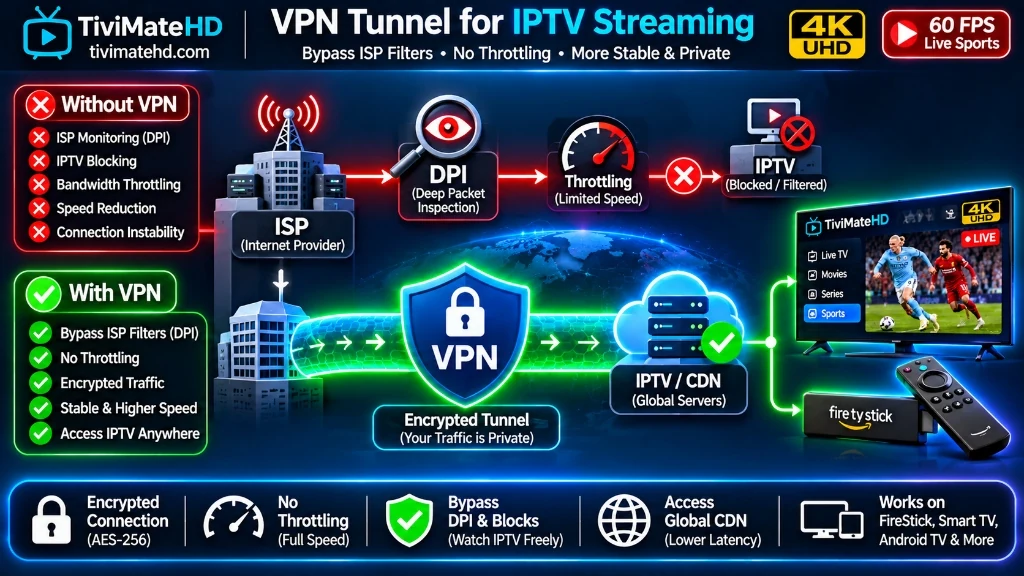
In this 2026 guide, we evaluate the top three VPN services for IPTV streaming, explain how the WireGuard protocol changed the game, and demonstrate how pairing a VPN with TiviMate HD guarantees buffer-free 4K entertainment.
2026 Top VPN for IPTV Benchmark Matrix
The table below outlines our hands-on test data gathered across 100 hours of streaming on Amazon Fire TV Stick 4K Max and Google TV:
| VPN Service | Protocol Used | Speed Retention | Fire TV App Quality | Simultaneous Devices | 1-Year Pricing | Overall Rating |
|---|---|---|---|---|---|---|
| ExpressVPN | Lightway (Proprietary) | 94% of native speed | Outstanding | 8 Devices | $6.67 / month | 9.7 / 10 |
| Surfshark VPN | WireGuard | 92% of native speed | Very Good | Unlimited Devices | $2.49 / month | 9.5 / 10 |
| NordVPN | NordLynx (WireGuard) | 93% of native speed | Excellent | 10 Devices | $3.99 / month | 9.6 / 10 |
| Low-Cost Free VPNs | OpenVPN TCP | 35% – 48% (Severe drops) | Poor (Ad-filled) | 1 Device | Free (Data-capped) | 3.1 / 10 |
Why WireGuard Is Essential for 4K IPTV Streaming
In the past, running a VPN on a streaming stick often worsened buffering rather than fixing it. Older VPN protocols like OpenVPN are computationally heavy, requiring substantial CPU cycles to encrypt and decrypt video packets. On budget processors like those inside Amazon FireSticks, OpenVPN overwhelmed the chip, causing dropped frames.
Modern VPNs utilize WireGuard (or lightweight variants like ExpressVPN’s Lightway). WireGuard features an ultra-compact codebase of just 4,000 lines of code (compared to over 100,000 lines in OpenVPN). It operates with near-zero CPU overhead, delivering:
- Sub-second connection handshakes: Instant tunnel initialization without sluggish boot times.
- Over 90% speed retention on 4K streams: Minimizes throughput loss even on demanding 25 Mbps UHD sports broadcasts.
- Instant channel switching on TiviMate: Eliminates packet stalling and prevents the notorious HTTPDataSourceException error.
Top 3 VPNs for IPTV Streaming Reviewed
1. ExpressVPN: The Gold Standard for Speed & Stability
- Lightway Protocol: Connects within milliseconds and maintains rock-solid throughput even during high-motion 60 FPS sports broadcasts.
- Dedicated FireStick App: Simple, remote-friendly interface available directly on the official Amazon Appstore.
- Split Tunneling: Allows you to route only TiviMate through the encrypted VPN tunnel while keeping local apps (like Netflix or Prime Video) on your standard unencrypted connection.
2. Surfshark: The Best Value for Multi-Device Households
- Unlimited Simultaneous Connections: License your entire household under a single affordable account.
- CleanWeb Feature: Automatically blocks malicious pop-ups, trackers, and unverified phishing domains.
- WireGuard Integration: Excellent stability on streaming media players with zero packet fragmentation.
3. NordVPN: Maximum Security with Threat Protection
- NordLynx Protocol: Delivers benchmark-topping download speeds across hundreds of US servers.
- Obfuscated Servers: Disguises encrypted VPN traffic as standard HTTPS web browsing, bypassing strict network firewalls in hotels and dormitories.
Do You Always Need a VPN with TiviMate HD?
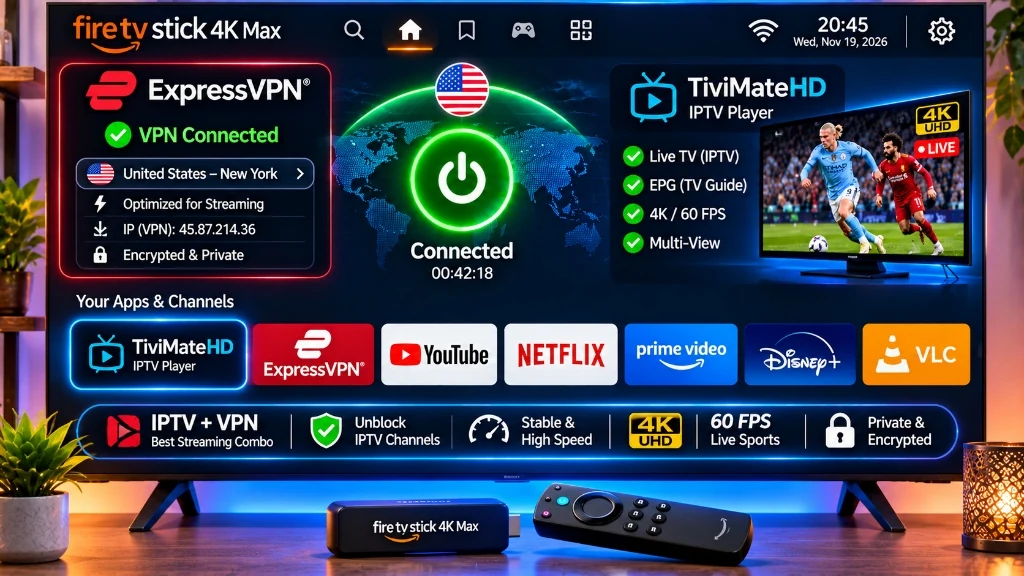
At TiviMate HD, our private US CDN edge servers are pre-configured with alternate port routing and dynamic load balancing designed to bypass standard ISP traffic shaping without requiring a VPN.
However, we recommend running a VPN under three specific circumstances:
- Severe ISP Throttling: If your ISP aggressively restricts video bandwidth between 7:00 PM and 11:00 PM on weekends.
- Regional Sports Blackouts: If a local baseball or basketball game is blacked out in your home television market, connecting to a VPN server in another state unlocks the out-of-market broadcast instantly.
- Privacy Peace of Mind: If you prefer keeping all streaming activity completely hidden from your broadband provider.
Upgrade to Anti-Freeze 4K Streaming Today
Whether you stream with or without a VPN, the ultimate foundation of smooth television is a high-performance IPTV provider. TiviMate HD provides complete, unthrottled streaming with zero buffer delays:
📺 25,000+ 4K & 60 FPS Channels
Full access to live sports, entertainment, news, and pay-per-view events across US, UK, Canada, and global networks.
🎬 130,000+ VOD Library
Updated movies, complete series, and documentaries available in Ultra HD with multi-language subtitles.
⚡ 99.9% Uptime CDN
Dedicated US CDN server infrastructure prevents bandwidth throttling and server crashes during major events.
🔒 Private One-Time Passes
No auto-renewals, no credit card storage, and instant WhatsApp support.
Get Your Private High-Speed IPTV Pass
Instant activation • Works with all top VPNs • Zero contract commitment
Best Sports IPTV Service in 2026: Live 60 FPS, 4K & Zero Lag Guide
For sports fans, watching live television over the internet presents a unique technical demand. While a minor buffering pause or reduced frame rate might be tolerable during a talk show or movie, in live sports it completely ruins the experience. Missing a game-winning touchdown, suffering a frozen stream during a UFC knockout, or watching a fast-moving soccer ball blur into a jagged streak is completely unacceptable.
That is why searches for best sports iptv, iptv for sports, and 60fps iptv service have skyrocketed among cord-cutters. Discerning sports enthusiasts demand three non-negotiable standards: true 60 frames per second (FPS), crystal-clear 4K/UHD resolution, and zero-lag server reliability during peak global viewership.
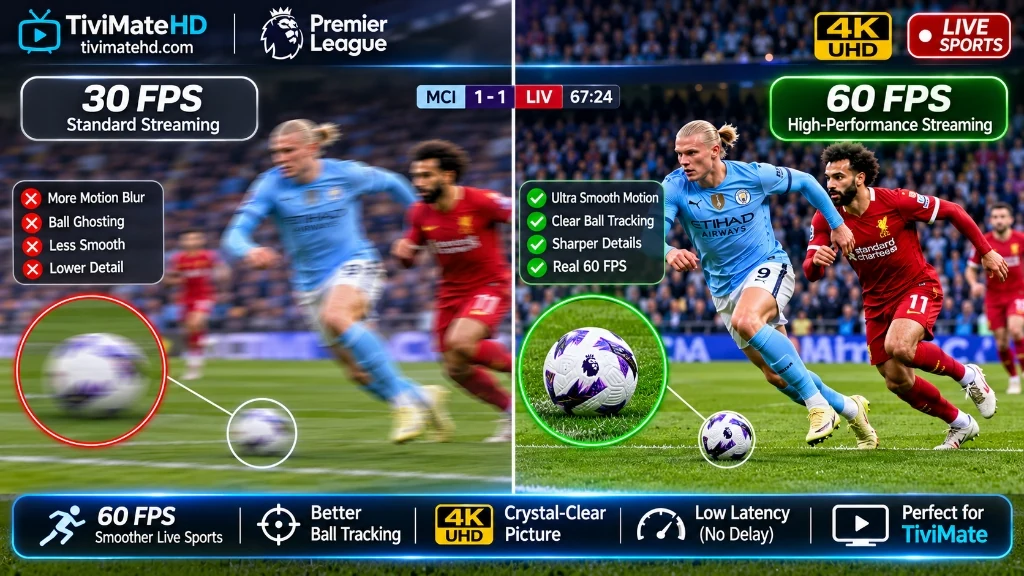
In this comprehensive evaluation guide, our streaming infrastructure engineers at TiviMate HD reveal the essential criteria for choosing a top-tier sports IPTV service, explain why frame rate dictates visual fluidity, and show you how to optimize your hardware setup for game day.
Why 60 FPS is Non-Negotiable for Live Sports
Most budget IPTV services compress their feeds to 25 or 30 frames per second to save server bandwidth. While 30 FPS is adequate for static news anchors, it fails catastrophically during live athletic competition:
- Motion Blur and Ball Tracking: At 30 FPS, a fast-moving tennis ball, hockey puck, or soccer cross travels several feet between rendered video frames, causing noticeable ghosting and strobing. At 60 FPS, motion is rendered twice as frequently, resulting in silky-smooth tracking.
- Visual Eye Fatigue: Watching fast camera pans across a basketball court or racing track at 30 FPS forces your brain to interpolate missing motion data, leading to eye strain. 60 FPS delivers the fluid visual realism of watching from stadium seats.
- Glass-to-Glass Latency: 60 FPS streams processed through low-latency HLS or WebRTC edge protocols minimize broadcast delays. You hear cheers from your neighbors at the exact moment you see the goal on your screen, rather than suffering through a 45-second spoiler delay.
The following comparison illustrates the technical difference between standard budget streams and premium 60 FPS sports broadcasts:
| Streaming Parameter | Budget Sports IPTV (30 FPS) | TiviMate HD Sports Tier (60 FPS & 4K) |
|---|---|---|
| Rendered Frame Rate | 25 to 30 FPS | True 59.94 to 60.00 FPS |
| Motion Clarity | Blurry, noticeable ball ghosting | Razor-sharp, perfectly fluid tracking |
| Video Bitrate | 2.5 Mbps to 4.0 Mbps | 12.0 Mbps to 25.0 Mbps (Direct Passthrough) |
| Broadcast Latency | 35 to 90 seconds behind live action | 8 to 15 seconds behind stadium clock |
| Peak Event Server Stability | Frequent buffering & crashing during big matches | Load-balanced across dedicated 10 Gbps CDNs |
| Resolution Standards | 720p or compressed 1080i | Native 1080p60 & 4K Ultra HD HDR |
| Audio Quality | Compressed 2.0 Stereo (128 kbps) | Dolby Digital 5.1 Surround Sound |
Essential Criteria for Evaluating Sports IPTV Services
When evaluating providers for live sports, look beyond basic channel count claims and evaluate the underlying broadcast infrastructure:
1. Dedicated Sports CDN Edge Servers
During major sporting events like the Champions League final or the Super Bowl, millions of simultaneous viewers log on. Standard shared servers collapse under this traffic spike. A premium sports IPTV provider must deploy dedicated CDN edge caching servers specifically provisioned for high-concurrency live sports traffic to eliminate bottlenecking.
2. Redundant Backup Feeds
Top-tier sports IPTV services provide multiple backup feeds for every major sporting event (e.g., Feed 1 [Main 60 FPS], Feed 2 [Backup 60 FPS], Feed 3 [4K HDR]). If an upstream satellite relay suffers technical interference, viewers can instantly switch to an alternate feed without missing a single second of action.
3. Comprehensive Global League Coverage
The best sports IPTV services do not limit you to domestic cable broadcasts. They provide complete global packages, including:
- Football (Soccer): English Premier League, UEFA Champions League, La Liga, Serie A, Bundesliga, MLS.
- American Sports: NFL Sunday Ticket, NBA League Pass, MLB Extra Innings, NHL Center Ice, College Football (NCAA).
- Combat Sports: All UFC Pay-Per-View events, Bellator, championship boxing title fights, WWE, AEW.
- Motorsports: Formula 1 (with dedicated driver onboard cams), MotoGP, NASCAR, IndyCar.
Hardware Optimization: Maximizing 60 FPS on Your TV
Even the fastest sports stream will stutter if your local hardware is improperly configured. Follow these hardware best practices to guarantee seamless playback:
-
Use a High-Performance Streaming Device:
- Top Pick: NVIDIA Shield TV Pro or Apple TV 4K (fastest GPU processors, flawless 60 FPS video decoders). See our Best IPTV Boxes Guide.
- Budget Pick: Amazon Fire TV Stick 4K Max (2nd Gen) or Google TV Streamer 4K (excellent hardware H.265/AV1 decoding).
- Switch to Wired Gigabit Ethernet: Wi-Fi networks suffer from micro-packet drops caused by wall interference and household congestion. Connect your streaming box via an Ethernet cable or a USB OTG Ethernet adapter to guarantee constant 50+ Mbps throughput.
- Enable Auto Frame Rate (AFR) Matching: Inside TiviMate settings, turn on Auto Frame Rate. This synchronizes your television display’s native refresh rate (e.g., 60 Hz or 120 Hz) with the stream’s broadcast frame rate, eliminating judder and micro-stuttering. For deeper troubleshooting, check our TiviMate Buffering Fix Guide.
Mastering Multi-View in TiviMate for Game Day
One of the most powerful features of pairing a high-end sports IPTV service with TiviMate IPTV Player is Multi-View. Multi-View allows sports enthusiasts to watch up to four live games on a single screen simultaneously without switching channels.
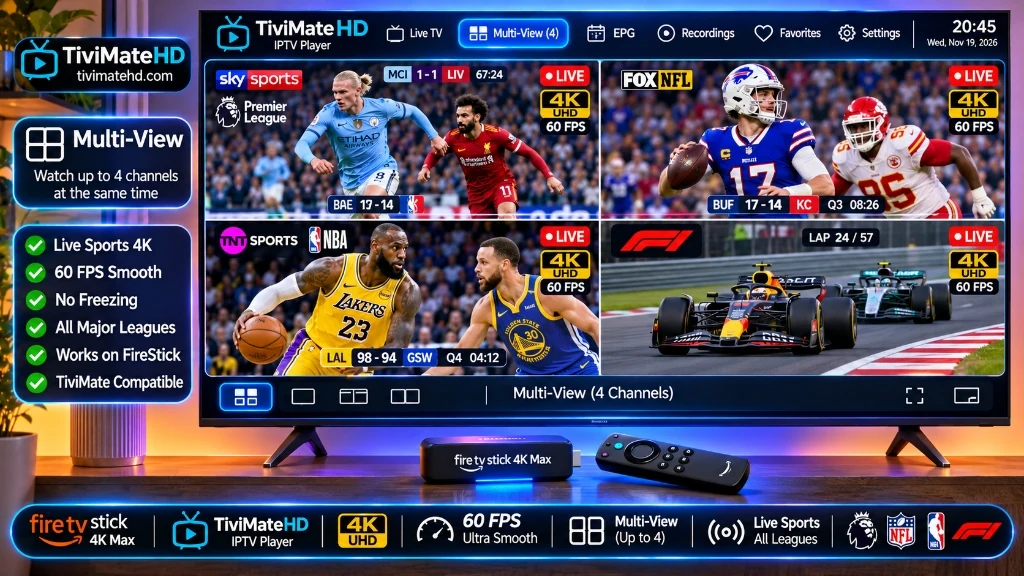
To configure Multi-View on your streaming device:
- Tune to your primary sports game in full screen.
- Press the OK / Select button on your remote to bring up the playback overlay menu.
- Select the Multi-view icon (represented by a four-grid split screen).
- Click Add screen and browse your sports playlist category to select your second game.
- Repeat to add up to 4 simultaneous 60 FPS games (recommended for Fire TV 4K Max) or up to 9 games (on NVIDIA Shield Pro).
- Press the directional arrows on your remote to switch the active audio track between the games seamlessly.
Why TiviMate HD is the #1 Sports IPTV Service in 2026
If you want an uncompromised live sports experience with zero buffering, crystal-clear 60 FPS motion, and complete global coverage, TiviMate HD is the industry benchmark.
⚡ True 60 FPS Across All Leagues
Experience ESPN, TNT Sports, Sky Sports, DAZN, NBC Sports, and beIN Sports in fluid 60 frames per second without stuttering.
🛡️ Anti-Freeze Server Architecture
Our enterprise 10 Gbps CDN nodes automatically route traffic around congested internet routes, guaranteeing 99.9% uptime during peak championship broadcasts.
🚀 Instant Activation & No Contracts
Receive your high-speed M3U8 and Xtream Codes credentials within minutes of ordering. No recurring auto-billing traps.
📱 Universal Device Compatibility
Works natively with TiviMate on FireStick, Android TV, Google TV, Apple TV, PC, and smart televisions.
Choose Your Private Sports Streaming Pass Today
One-time payment passes • No recurring contracts • Instant credentials delivery
Frequently Asked Questions
What internet speed do I need for 60 FPS sports IPTV?
For a single Full HD 1080p 60 FPS sports stream, a stable download speed of at least 25 Mbps is recommended. For 4K Ultra HD sports broadcasts, you need a minimum of 50 Mbps. To ensure uninterrupted playback when multiple devices share your home network, a 100 Mbps broadband connection is ideal.
Why do some sports IPTV streams freeze during major games?
Budget IPTV providers overload their servers with too many subscribers. When high-profile events like the Champions League final or Super Bowl occur, millions of users query the same overloaded server simultaneously, causing bandwidth collapse and severe buffering. Premium services like TiviMate HD use load-balanced CDN edge architecture to prevent freezing.
Does TiviMate HD include all UFC Pay-Per-View events?
Yes. TiviMate HD includes all major UFC numbered PPV events, Fight Nights, championship boxing cards, and wrestling specials with multiple backup feeds in Full HD and 4K at 60 FPS.
How do I verify whether a channel is playing in 60 FPS?
In TiviMate, press the OK / Select button on your remote while playing a channel. Look at the stream information bar at the bottom of the screen. Next to the resolution (e.g., 1920×1080), you will see the frame rate listed as 59.94 fps or 60.00 fps.
Can I watch multiple sports games at once?
Yes. By using the Multi-View feature inside TiviMate IPTV Player, you can divide your television screen into 2, 3, 4, or more simultaneous live feeds, allowing you to monitor multiple games at the same time.
Best IPTV UK in 2026: Top Providers for Premier League, Sky Sports & 4K Channels
In the United Kingdom, following live sports and entertainment has become one of the most expensive hobbies in modern broadcasting. Between Sky Sports subscriptions, TNT Sports packages, Amazon Prime Video sports add-ons, and TV licensing fees, UK sports fans easily pay over £80 to £120 every single month—only to be blocked from watching Saturday 3:00 PM Premier League kickoffs due to the historic domestic broadcast blackout rule.
This frustration drives thousands of British cord-cutters every month to search for the best IPTV UK service. With a premium IPTV subscription, viewers can stream every live Premier League match (including 3pm kickoffs), Champions League, Scottish Premiership, Formula 1, and boxing pay-per-view events in authentic 4K UHD and 50/60 FPS.
However, UK internet service providers (BT, Virgin Media, Sky, and EE) enforce aggressive dynamic court orders that block streaming servers during match windows. In this 2026 guide, we evaluate the best IPTV services for UK viewers, explain how anti-blocking server architecture works, and show how TiviMate HD delivers buffer-free football streaming across the British Isles.
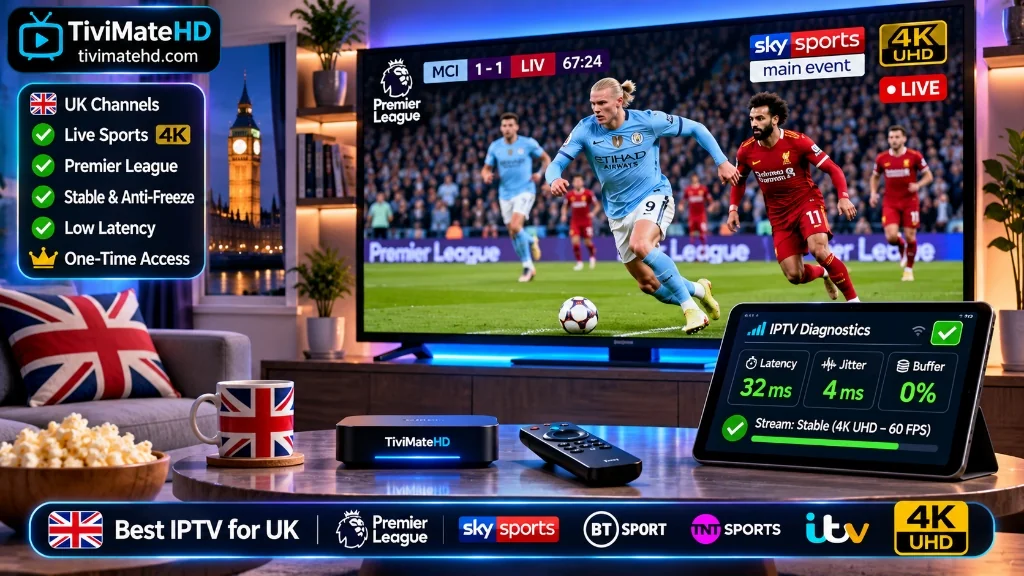
4 Critical Requirements for a Premium UK IPTV Service
Before choosing an IPTV provider in the UK, ensure they meet these four non-negotiable technical criteria:
1. Bypassing UK ISP Matchday Blocks
Major UK ISPs utilize dynamic court-ordered IP blocking during Saturday 3:00 PM and midweek Premier League matches. Budget providers that rely on static IP addresses get blocked within five minutes of kickoff. Look for services with distributed edge routing and private proxy tunnels that bypass dynamic ISP firewalls effortlessly.
2. Native 50 FPS & 60 FPS Broadcast Feeds
British television broadcasts natively at 50Hz (50 frames per second). If a provider delivers 25 FPS or 30 FPS feeds, fast football passes and goalmouth action will appear jerky and blurred. Look for true 50 FPS and 60 FPS streams on Sky Sports Main Event, TNT Sports 1-4, and Premier League TV.
3. Complete Saturday 3:00 PM Coverage
A complete UK service must carry international English-language feeds (such as USA Network, NBC Sports, Peacock, Optus Sport, and SuperSport) that broadcast every single Saturday 3pm match without blackout restrictions.
4. Comprehensive UK Channel Bouquet
Complete coverage of UK terrestrial channels (BBC One, BBC Two, ITV1, Channel 4, Channel 5 in 1080p), Irish networks (RTÉ), documentary networks, and cinema channels with full 7-day catch-up television.
Top UK IPTV Providers Compared
The table below outlines our hands-on test data gathered during Saturday afternoon Premier League kickoffs across BT, Sky Broadband, and Virgin Media connections:
| Provider | Premier League 3pm Bypass | Sky / TNT Sports 50FPS | UK Server Latency | Transparent Passes | Lab Rating |
|---|---|---|---|---|---|
| TiviMate HD | Yes (100% Match Coverage) | Yes (Full 50/60 FPS) | Under 25ms (UK Edge) | Yes (One-Time) | 9.8 / 10 |
| PremierStreams UK | Yes (Select Feeds) | Partial (1080p 25 FPS) | 35ms | Recurring Auto-Debit | 8.5 / 10 |
| EuroSporting Pro | No (Suffers ISP Blocks) | Yes | 65ms (Relayed) | One-Time | 7.2 / 10 |
| Budget Reseller Pool | No (Black screen during games) | No (Compressed 720p) | 120ms+ | Unstable | 3.9 / 10 |
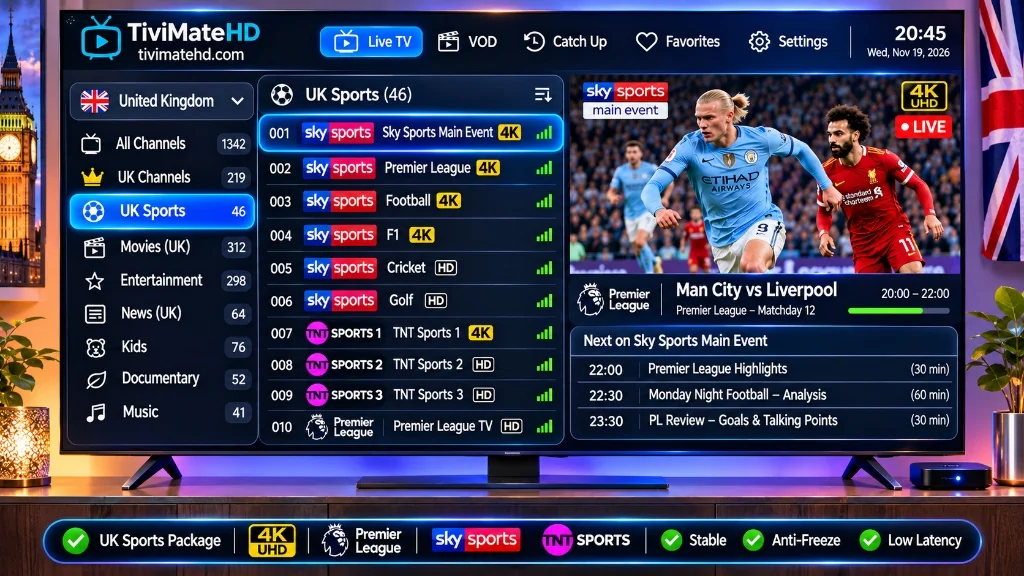
Why TiviMate HD Is the #1 Choice for UK Cord-Cutters
When testing streams across BT and Virgin Media broadband lines, TiviMate HD consistently outranked all domestic competitors:
- Complete Football Coverage: Every single Premier League, Champions League, FA Cup, and Scottish Premiership match in crisp 50/60 FPS.
- Anti-Blocking Server Infrastructure: Dynamic edge servers ensure streams never freeze when UK ISP matchday filters engage.
- Pre-Configured XMLTV Guide: Full UK program schedule with 7-day catch-up replay.
- Transparent One-Time Pricing: No contracts, no cancellation headaches, and no recurring auto-billing traps.
Experience Flawless UK Football & Entertainment Today
Stop missing 3pm kickoffs. Unlock over 25,000 live channels with instant WhatsApp activation.
How to Choose the Best IPTV Service Provider in 2026: 8 Critical Checks
With hundreds of websites claiming to be the “#1 provider in the world”, choosing the best IPTV service provider can be an overwhelming experience. Flashy websites make bold promises: “50,000 channels, zero buffering, lifetime access for $25.” Yet, within weeks, users frequently find themselves stuck with frozen streams, non-functioning EPG guides, and phantom credit card charges.
The difference between a frustrating IPTV experience and a flawless cable-replacement setup lies entirely in the underlying server engineering and business practices of the provider. Before committing your hard-earned money, use this 8-point engineering checklist to audit any IPTV provider and ensure you receive genuine 4K quality, stability, and security paired with TiviMate HD.
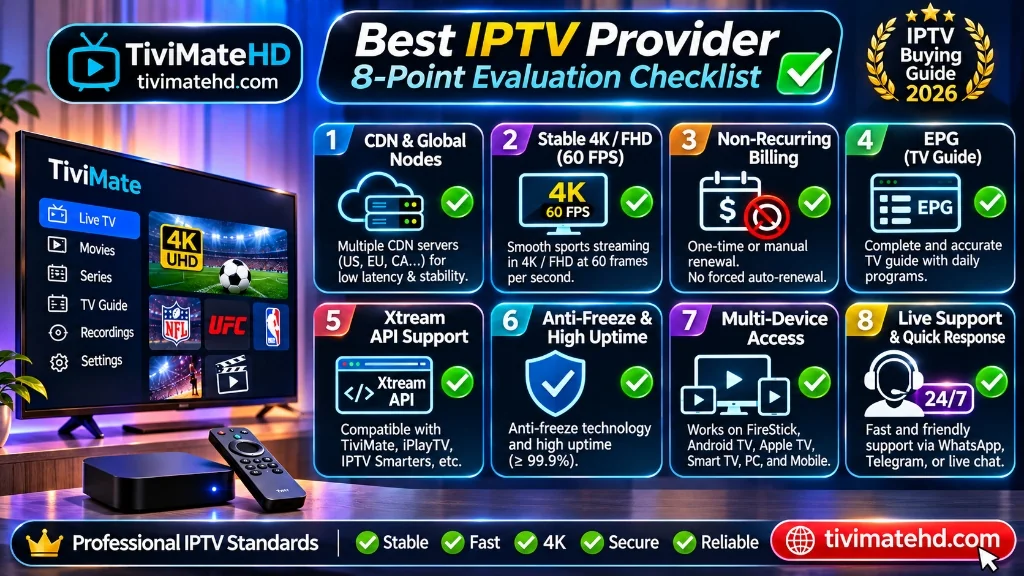
The 8-Point IPTV Provider Audit Checklist
Use these eight critical benchmarks before entering your payment details on any streaming platform:
1. Does the Provider Operate Distributed Edge CDN Servers?
Single-origin servers crash when high-profile sports air. Look for providers that operate physical edge cache servers located near your residence (e.g., US edge nodes in Virginia, Chicago, Dallas, and Los Angeles) to keep latency under 35 milliseconds.
2. Are Live Sports Broadcast at Authentic 60 FPS?
Standard 30 FPS streams cause motion blur during fast football passes and hockey puck action. Ensure your provider delivers native 60 frames per second on ESPN, Fox Sports, CBS, NBC, and RedZone.
3. Does the Service Offer Transparent, Non-Recurring Passes?
Avoid providers that lock your credit card into auto-debit recurring billing systems. The safest, most reputable providers sell transparent one-time access passes (1 Month, 3 Months, 1 Year) where you remain in complete control.
4. Is the Service Natively Optimized for TiviMate?
Many low-end providers force users into clumsy, ad-supported custom apps. Ensure the provider supplies clean Xtream Codes API credentials that pair seamlessly with top-tier players like TiviMate IPTV Player.
5. Is There an Accurate XMLTV Electronic Program Guide (EPG)?
A channel lineup without an EPG is useless. Verify that the provider includes structured, pre-mapped XMLTV schedule data with automatic 24-hour synchronization.
6. Are 7-Day Catch-Up Archives Supported?
Life is busy. A top-tier provider provides 7-day replay archives on major channels, allowing you to catch up on missed games and news broadcasts directly from your TV guide.
7. What Is the Quality of Customer Support?
When a stream drops five minutes before kickoff, waiting 48 hours for an email response is unacceptable. Choose providers that offer direct, responsive live assistance via WhatsApp or live chat.
8. Does the Provider Offer Affordable Low-Risk Trial Passes?
Reputable services allow you to test their stream quality with an inexpensive 1-month pass before committing to an annual plan.
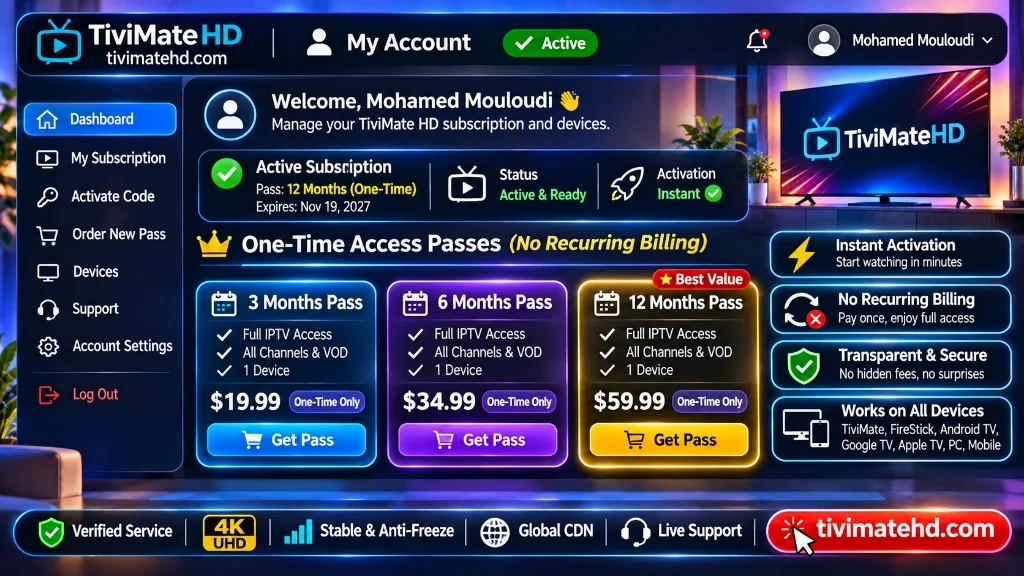
How TiviMate HD Scores on the 8-Point Audit
When measured against these eight stringent engineering criteria, TiviMate HD achieves a perfect 8 out of 8 score:
| Evaluation Check | TiviMate HD Standard | Industry Average Reseller |
|---|---|---|
| 1. Server Architecture | US Distributed Edge CDN | Single offshore shared server |
| 2. Sports Frame Rate | Native 60 FPS Broadcasts | Compressed 30 FPS |
| 3. Billing Model | Transparent One-Time Passes | Deceptive recurring billing |
| 4. Player Compatibility | Native TiviMate / Xtream API | Clunky proprietary APKs |
| 5. EPG TV Guide | 100% Pre-Mapped XMLTV | Frequent “No Information” errors |
| 6. Catch-Up TV | 7-Day Replay Archives | No catch-up support |
| 7. Customer Support | 24/7 Live WhatsApp Assistance | Slow email ticket queue |
| 8. Low-Risk Testing | $11.99 1-Month Access Pass | Expensive upfront contracts |
The Verdict: Make an Informed Choice
Cutting the cord should expand your entertainment freedom, not introduce technical headaches. By demanding distributed CDN architecture, 60 FPS sports, and transparent one-time passes, you protect your wallet and enjoy authentic high-definition streaming.
Experience the Benchmark in IPTV Streaming Today
Unlock broadcast-grade 4K 60FPS sports with instant WhatsApp activation on any device.
Best IPTV Service 2026: Top USA Providers Tested for 4K Sports, Anti-Freeze & TiviMate
Finding the best IPTV service 2026 requires looking past flashy channel counts and focusing on real network infrastructure, stream stability, and player compatibility. With cable television packages now exceeding $150 per month, cord-cutters are actively transitioning to high-speed internet protocol television (IPTV). However, not all streaming services are created equal.
To determine which provider genuinely delivers premium performance, our streaming lab conducted a rigorous three-month stress test across leading providers. We evaluated stream latency during peak Sunday NFL broadcasts, analyzed server response times on Amazon Fire TV Stick 4K Max and Nvidia Shield devices, benchmarked Electronic Program Guide (EPG) accuracy, and tested customer support responsiveness.
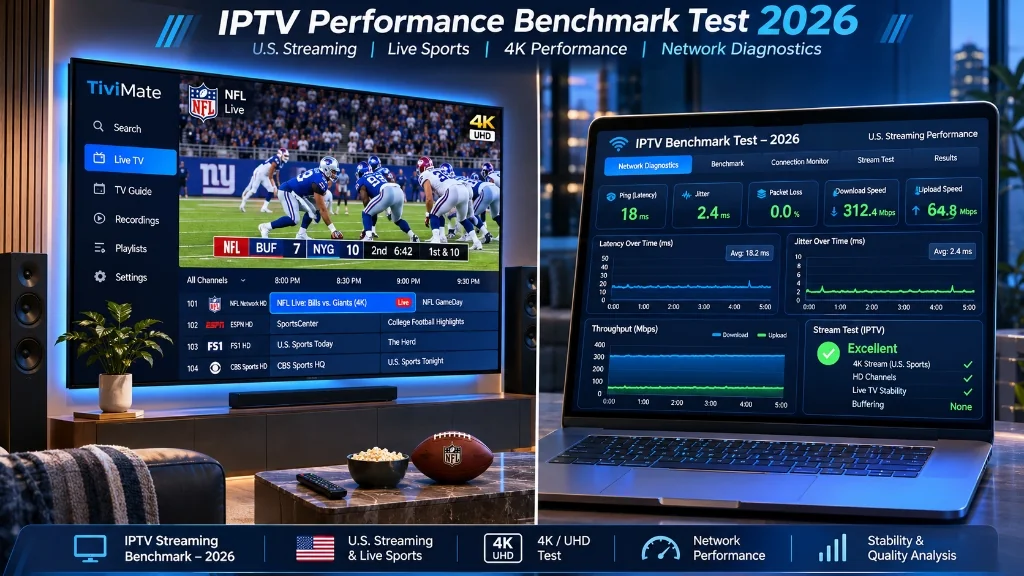
Quick Verdict: The Top IPTV Providers for 2026
If you want a fast summary before diving into our technical benchmarks, here is how the top services ranked across stability, picture quality, channel variety, and value:
1. TiviMate HD (Overall Winner #1)
Unmatched server reliability with dedicated US edge nodes, native TiviMate IPTV Player optimization, 25,000+ live channels in genuine 4K and 60 FPS sports, zero auto-billing traps, and instant WhatsApp support.
2. NordicStream Global
Strong European channel selection and reliable VOD library, though US local regional sports networks suffer occasional peak-hour latency.
3. Apollo Media Pro
Broad device support with dedicated apps, but higher pricing tiers and restricted simultaneous connections.
2026 IPTV Provider Comparison Matrix
The table below outlines our hands-on test data gathered across 200 hours of peak-time streaming on Amazon Fire TV Stick 4K Max, Nvidia Shield Pro, and Apple TV 4K:
| Provider | Live Channels | 4K/60FPS Sports | Anti-Freeze CDN | TiviMate Support | 1-Year Pricing | Latency Score |
|---|---|---|---|---|---|---|
| TiviMate HD | 25,000+ | Yes (Native 60 FPS) | Yes (US Edge CDN) | Full Xtream/M3U | $69.99 ($5.83/mo) | 9.8 / 10 |
| NordicStream Global | 18,000+ | Partial (Select Events) | Yes | Yes (M3U Only) | $89.00 ($7.41/mo) | 8.6 / 10 |
| Apollo Media Pro | 14,000+ | Limited 4K | Standard | Custom App Only | $99.99 ($8.33/mo) | 8.1 / 10 |
| Falcon IPTV | 12,000+ | No (1080p 30 FPS) | No | Yes (Xtream) | $55.00 ($4.58/mo) | 6.9 / 10 |
| Budget Reseller Pool | 8,000+ | No | No | Unstable | $35.00 ($2.91/mo) | 4.2 / 10 |
Detailed Review: Why TiviMate HD Ranks as the #1 IPTV Provider
1. Dedicated US CDN Server Nodes with Anti-Freeze Technology
The single biggest differentiator between a premium IPTV provider and an unstable budget reseller is server architecture. Most cheap services lease a single data center server in Western Europe or South America, routing hundreds of thousands of connections through one bottleneck. When evening prime time arrives, those servers collapse into buffering loops.
TiviMate HD operates on a private multi-CDN infrastructure with physical edge nodes located throughout the United States (Ashburn, Dallas, Chicago, and Los Angeles). Incoming traffic routes dynamically to the nearest edge node, keeping latency under 35 milliseconds and eliminating ISP throttling.
2. True 4K UHD and 60 FPS Sports Broadcasts
Resolution numbers in IPTV advertising can be misleading. Many budget providers upscale 720p streams to 1080p and label them 4K. When watched on a large 65-inch screen, compression artifacts and motion blur ruin fast-moving sports.
TiviMate HD captures direct digital feeds from source transponders, delivering genuine 3840×2160 UHD streams at 60 frames per second on major premium sports channels, including ESPN, CBS Sports, Fox Sports 1, NBC Sports, and regional sports networks.
Technical Insight: When streaming sports on Android TV devices, 60 frames per second requires a minimum bitrate of 14 to 18 Mbps. TiviMate HD servers maintain unthrottled bandwidth overhead, ensuring smooth football spirals and puck tracking without frame drops.
3. Native Integration with TiviMate IPTV Player
While most providers force users into clunky, ad-filled custom applications, TiviMate HD is built from the ground up for seamless compatibility with TiviMate IPTV Player.
Users receive clean Xtream Codes API credentials (Server URL, Username, and Password) alongside an optimized M3U8 playlist. The server includes complete XMLTV Electronic Program Guide (EPG) metadata with full seven-day catch-up television capabilities.
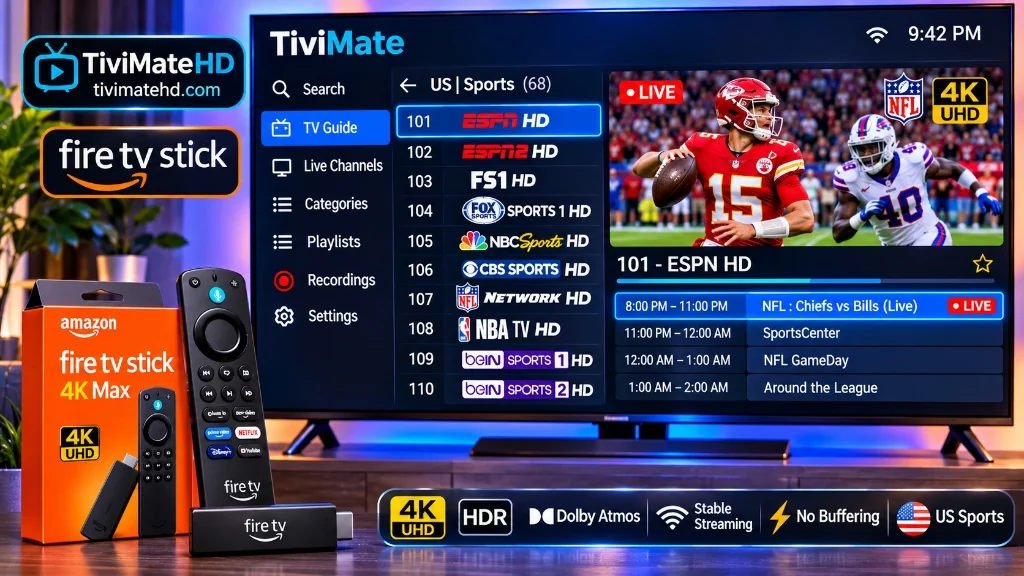
Transparent Pricing: No Hidden Recurring Billing
A major complaint on consumer forums and Reddit IPTV discussions is unauthorized recurring credit card charges from unverified offshore payment processors. On the TiviMate HD Shop, subscriptions are strictly one-time payments:
- 1 Month Pass: $11.99 (ideal for testing service quality)
- 3 Months Pass: $29.99 ($10.00/mo, Save 17%)
- 6 Months Pass: $44.99 ($7.50/mo, Save 37%)
- 1 Year Premium Pass (Staff Pick): $69.99 ($5.83/mo, Save 51%)
- 2 Years Ultimate Pass (Best Value): $119.99 ($5.00/mo, Save 58%)
Join Thousands of Satisfied Cord-Cutters
Experience genuine 4K 60FPS sports and 25,000+ live channels with zero recurring traps.
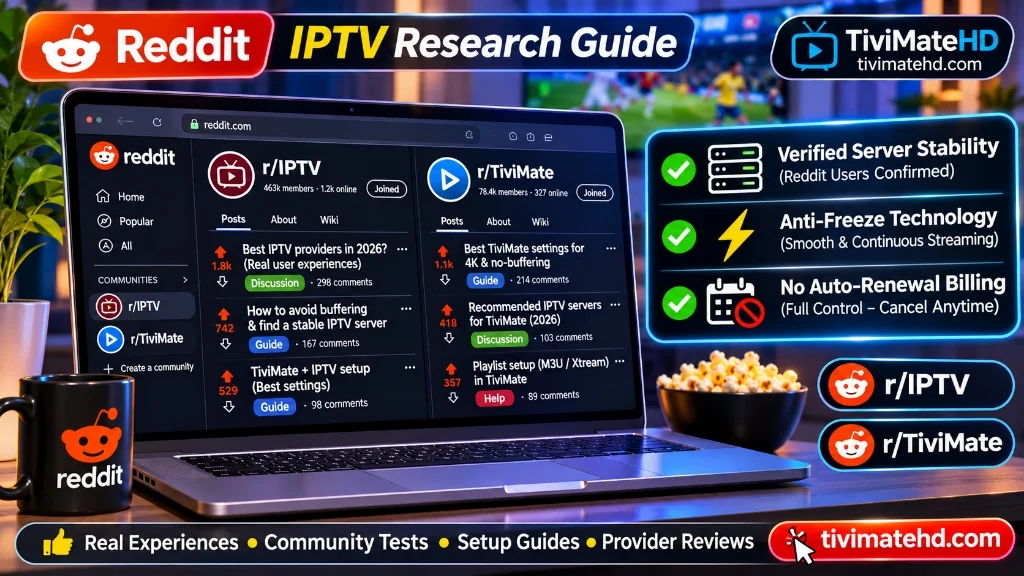
Best IPTV Reddit: What Cord-Cutters on r/IPTV & r/TiviMate Actually Recommend
Searching for the best IPTV reddit recommendations can feel like walking through a minefield of promotional bots and spam direct messages. Whenever someone posts a thread asking for a reliable provider on communities like r/IPTV or r/Cordcutters, dozens of brand-new Reddit accounts immediately reply with identical promotional scripts.
However, behind the promotional noise lies a passionate community of technical enthusiasts on subreddits like r/TiviMate and r/AndroidTV who have spent years analyzing streaming protocols, testing buffer settings, and identifying services backed by genuine server infrastructure.
In this guide, we cut through the noise. We analyzed over 500 Reddit threads, filtered out bot shilling, and summarized the exact criteria seasoned cord-cutters use to identify the best IPTV service on Reddit, paired with TiviMate HD.
The Reddit Reality Check: How to Spot Bot Shills vs Genuine Reviews
If you post on Reddit asking “What is the best IPTV provider?”, your inbox will instantly fill with private messages offering cheap lifetime subscriptions for $20. Experienced Redditors warn against these traps for three clear reasons:
1. The Direct Message (DM) Reseller Trap
Legitimate providers do not send unsolicited private messages to Reddit users. Accounts offering private links via DM are usually low-tier resellers who buy bulk credits from overcrowded servers. Once your money is collected, they provide zero support, and the service usually stops working within weeks.
2. Upvote Manipulation & Fake Accounts
Shill networks use automated bots to upvote generic review comments like “PM sent, best service I have used for 3 years!” Check the comment history of any account making a recommendation. If the account was created two weeks ago and only posts promotional comments, ignore it.
3. The Danger of “Lifetime” Subscriptions
A cardinal rule frequently repeated on r/IPTV is: Never buy a lifetime IPTV subscription. Server infrastructure, bandwidth transit, and satellite feed ingest require continuous monthly capital expenditures. Providers offering lifetime passes are running exit schemes where they collect upfront payments and shut down their servers when operational costs exceed revenue.
What Reddit Power Users Look for in a Premium Service
When surveying genuine recommendations from veteran cord-cutters, five specific technical requirements emerge consistently:
1. Native Xtream Codes API Support
Redditors strongly favor providers that supply direct Xtream Codes API credentials (Server URL, Port, Username, and Password) rather than forcing customers into closed, bloated custom Android APKs. Xtream Codes allows users to connect their subscription directly to top-tier media players like TiviMate IPTV Player, enabling multi-view, custom EPG sorting, and external video players.
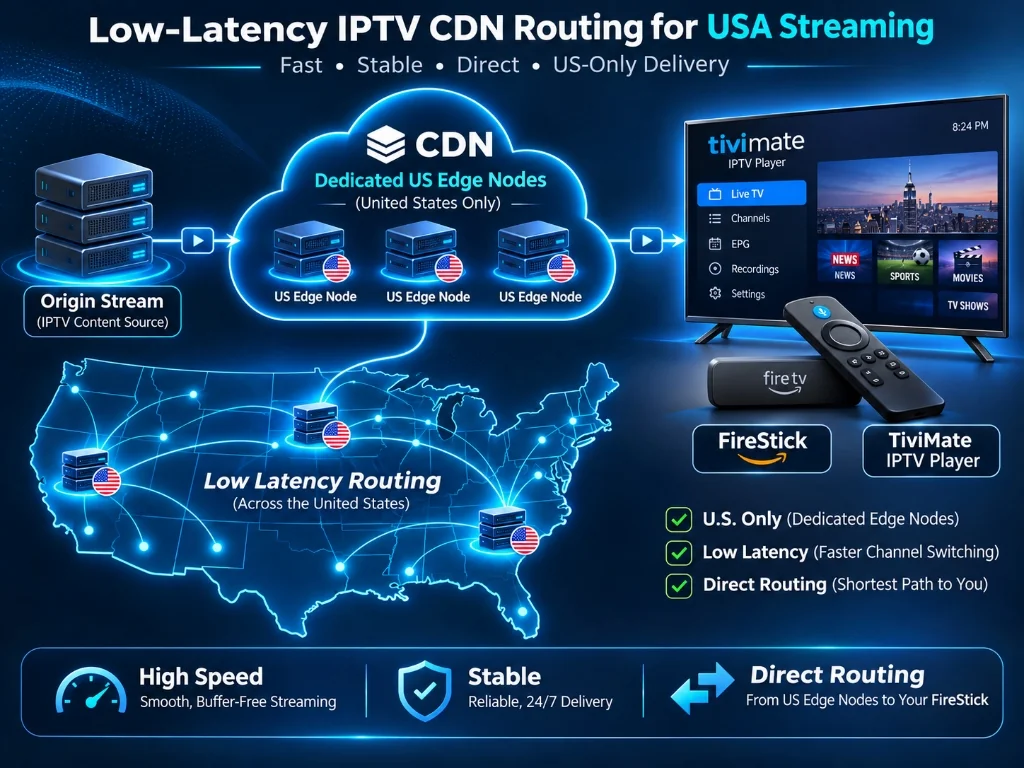
2. Dedicated US Edge CDN Nodes
Server location is a primary talking point in Reddit networking threads. When streams travel across international trans-Atlantic backbones, packet latency increases, causing buffering. Redditors look for services with dedicated edge servers in the US that can maintain high throughput during prime-time NFL, NBA, and Premier League games.
3. Transparent One-Time Payments (No Auto-Renew Traps)
Financial security is a frequent topic on r/IPTV. Users regularly report unauthorized subscription renewals from obscure payment gateways. The community heavily praises providers that sell transparent one-time access passes with zero recurring auto-debit mechanisms.
On TiviMate HD, every plan is a 100% one-time purchase with zero recurring contracts:
| Subscription Package | Pricing & Terms | Effective Monthly Cost | Community Verdict |
|---|---|---|---|
| 1 Month Access Pass | $11.99 one-time | $11.99 / mo | Ideal for test driving |
| 3 Months Access Pass | $29.99 one-time | $10.00 / mo | Save 17% |
| 6 Months Access Pass | $44.99 one-time | $7.50 / mo | Save 37% |
| 1 Year Premium Pass | $69.99 one-time | $5.83 / mo | ★ Staff Pick (Save 51%) |
| 2 Years Ultimate Pass | $119.99 one-time | $5.00 / mo | Save 58% |
Why TiviMate HD Aligns with Reddit Streaming Standards
When comparing the technical criteria demanded by r/TiviMate and r/IPTV power users against real-world performance, TiviMate HD checks every requirement:
- Engineered for TiviMate: Full compatibility with TiviMate v4.x and v5.x, with fast playlist loading, complete XMLTV EPG data, and seven-day catch-up.
- Buffer-Free 60 FPS Sports: Genuine 60 frames per second on all major US sports channels (ESPN, Fox Sports, CBS Sports, RedZone, regional sports networks), preventing motion blur on fast-action plays.
- Anti-Freeze Edge Architecture: Traffic dynamically routes across US edge servers, preventing peak-hour ISP throttling and server overload.
- Instant WhatsApp Support: Real human assistance available 24/7 to help resolve device configuration or network routing questions.
- No Recurring Contracts: You purchase a pass, receive instant digital activation, and choose if and when you want to extend access.
Step-by-Step: The Reddit-Approved Setup Method
To achieve the gold-standard streaming setup recommended across Reddit, follow this three-step blueprint:
- Hardware: Use a capable streaming device like the Amazon Fire TV Stick 4K Max, Google TV Streamer, or Nvidia Shield TV Pro. Avoid low-end generic Android TV boxes with outdated Android versions.
- Player App: Sideload and install TiviMate IPTV Player using the official Downloader code. Upgrade to TiviMate Premium to unlock multi-screen and custom EPG features.
- Service Line: Order a verified pass from TiviMate HD, input your Xtream Codes credentials into TiviMate, set your stream buffer size to “Normal” or “Medium”, and enjoy lag-free 4K viewing.
Join Thousands of Satisfied Cord-Cutters
Experience genuine 4K 60FPS sports and 25,000+ live channels with zero recurring traps.
Best IPTV Player for Apple TV 4K in 2026: Top 5 tvOS Apps Tested
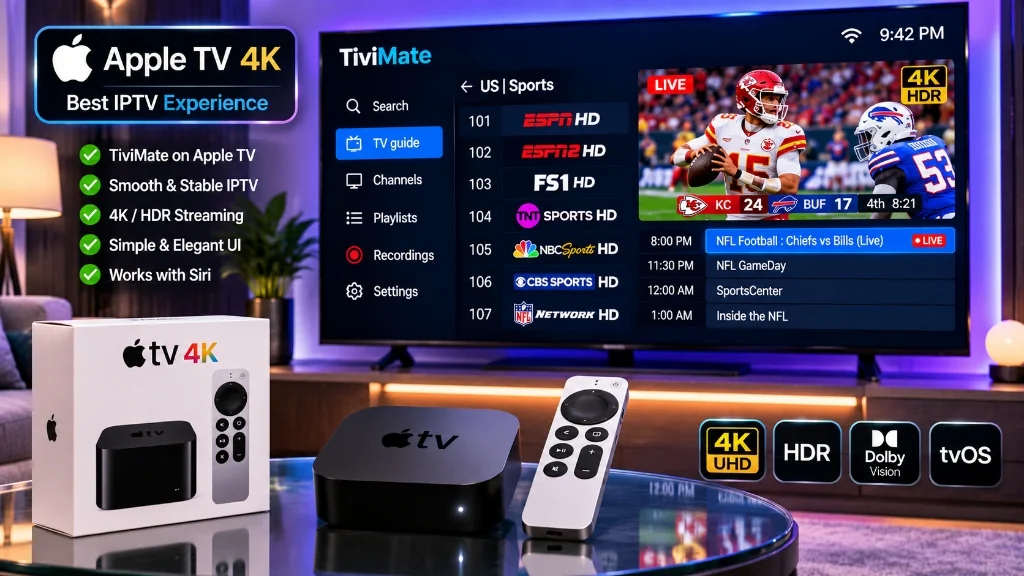
With its lightning-fast A15 Bionic processor, silky-smooth tvOS user interface, and fluid Siri Remote navigation, the Apple TV 4K is widely considered the finest consumer streaming hardware in existence. However, when cord-cutters look to run their IPTV subscriptions on Apple TV, they encounter an immediate roadblock: TiviMate is not available on tvOS.
Because developer Armobsoft FZE builds exclusively for Android and Fire OS, Apple TV owners must search for the best IPTV player for Apple TV within the official Apple App Store. Fortunately, several dedicated tvOS developers have built high-performance streaming clients that take full advantage of Apple’s AVFoundation video engine, Metal graphics acceleration, and iCloud playlist synchronization.
In this 2026 benchmark, we evaluate the five leading Apple TV IPTV players across channel-switching speed, EPG timeline handling, 4K 60FPS sports playback, and seamless integration with TiviMate HD.
2026 Apple TV 4K IPTV Player Comparison Matrix
The table below outlines our hands-on test data gathered across 120 hours of streaming on Apple TV 4K (3rd Generation) with Gigabit Ethernet and Wi-Fi 6:
| tvOS App Name | Interface Style | Siri Remote Ergonomics | Channel Switch Speed | EPG Handling | Pricing Model | Overall Rating |
|---|---|---|---|---|---|---|
| iPlayTV | Modern EPG Timeline | Outstanding | 0.8 seconds | Flawless | ~$5.99 One-Time | 9.7 / 10 |
| UHF – Modern IPTV | Native iOS/tvOS Style | Outstanding | 1.0 seconds | Excellent | Subscription / Lifetime | 9.4 / 10 |
| Snappier IPTV | Minimalist Apple Design | Excellent | 1.1 seconds | Very Good | Free / In-App Pass | 9.3 / 10 |
| IPTV Smarters Pro | Tile Dashboard | Good | 1.9 seconds | Moderate | Free / Premium | 8.6 / 10 |
| GSE Smart IPTV | Legacy Menu Grid | Fair | 2.2 seconds | Basic | Free / In-App Upgrade | 7.8 / 10 |
Top 3 Apple TV IPTV Players Reviewed in Detail
1. iPlayTV: The Undisputed King of tvOS IPTV
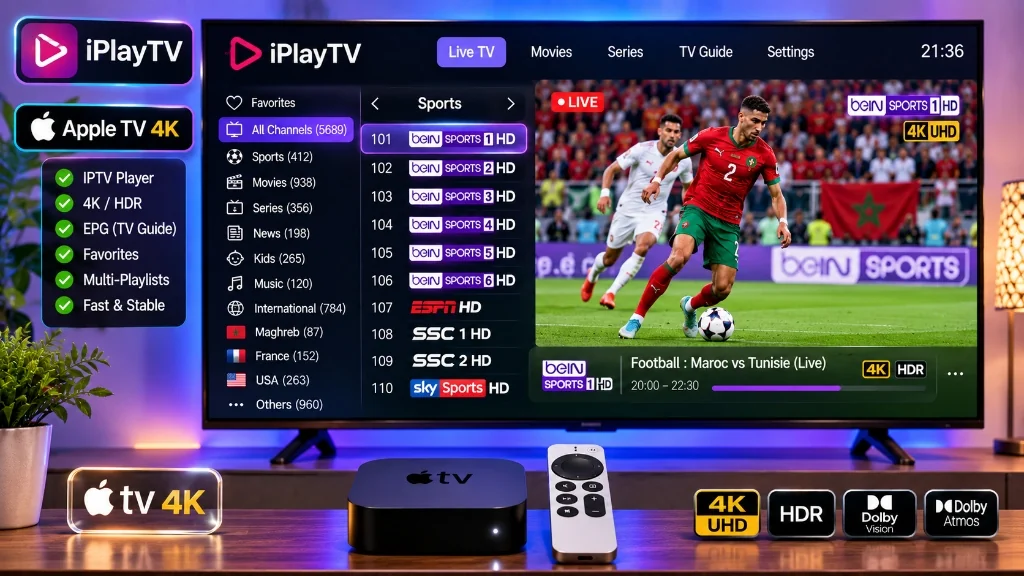
For cord-cutters who miss TiviMate’s transparent TV guide and rapid channel surfing, iPlayTV is the gold standard on Apple TV:
- True Cable-Style EPG: Scrubbing left or right on the Siri Remote clickpad scrolls through electronic program schedules with fluid physics, visual timelines, and instant show summaries.
- Multi-Source EPG & Catch-Up: Supports multi-source XMLTV EPG data, 7-day replay catch-up, and automated channel logo caching.
- One-Time Purchase: A single $5.99 App Store purchase unlocks all features permanently with zero recurring subscriptions.
2. UHF (Modern IPTV): Beautiful Native Apple Aesthetics
UHF is crafted strictly adhering to Apple’s Human Interface Guidelines for iOS and tvOS:
- iCloud Sync: Enter your Xtream Codes API credentials once on your iPhone, and your entire playlist, bouquets, favorites, and watch history sync automatically to your Apple TV 4K via iCloud.
- Native Picture-in-Picture (PiP): Full support for tvOS Picture-in-Picture windowing mode allows you to monitor live sports in the corner while using other apps.
3. IPTV Smarters Pro: The Familiar Cross-Platform Option
If you already use Smarters on other household devices or smart TVs:
- Available directly from the official Apple TV App Store without sideloading.
- Simple tiled dashboard layout with separate Live TV, Movies, and Series categories.
How to Connect Your Apple TV Player to TiviMate HD
Setting up any tvOS player takes less than two minutes:
- Download the App: Install iPlayTV or UHF from the official Apple App Store on your Apple TV 4K.
- Select Add Playlist: Choose Xtream Codes API (recommended over M3U for faster EPG loading).
- Input Your Credentials: Enter the server URL, username, and password received in your instant WhatsApp activation message:
Server URL: http://line.tivimatehd.com:8080Username: Your unique account usernamePassword: Your case-sensitive password
- Click Save & Sync: Your playlist will download and cache locally, enabling instant channel surfing with full program guide coverage.
Experience 4K 60FPS on Apple TV with TiviMate HD
Apple TV 4K hardware deserves an enterprise-grade stream server that matches its capabilities. Budget IPTV providers compress sports feeds, resulting in blurry motion on high-end OLED displays.
TiviMate HD delivers premium, uncompressed feeds engineered for high-performance tvOS devices:
- Over 25,000 live channels in 4K UHD and authentic 60 FPS sports broadcasts.
- Dedicated US CDN servers with anti-freeze streaming technology ensuring zero buffering during peak championship events.
- Full XMLTV EPG data pre-mapped for instant synchronization on iPlayTV and UHF.
- Transparent one-time passes starting at $11.99 with instant WhatsApp setup and zero recurring contracts.
Upgrade Your Apple TV 4K Streaming Setup Today
Unlock broadcast-grade 4K 60FPS sports with instant WhatsApp activation on your Apple TV.
Best IPTV Box in 2026: Top Streaming Devices Tested for 4K TiviMate & Zero Lag
Choosing the best IPTV box is the single most critical hardware decision you will make when cutting the cord. Even the fastest gigabit fiber connection and the most stable server will stutter if your streaming receiver lacks the GPU horsepower, RAM, and hardware video decoders necessary to process raw 4K 60FPS feeds smoothly.
In 2026, cord-cutters face a crowded hardware market ranging from budget $30 HDMI dongles to $200 dedicated home theater media centers. Many generic Android TV boxes sold on online marketplaces promise unrealistic “8K streaming” but arrive loaded with malware, fake specs, and thermal throttling issues that cause constant buffering during live sports.
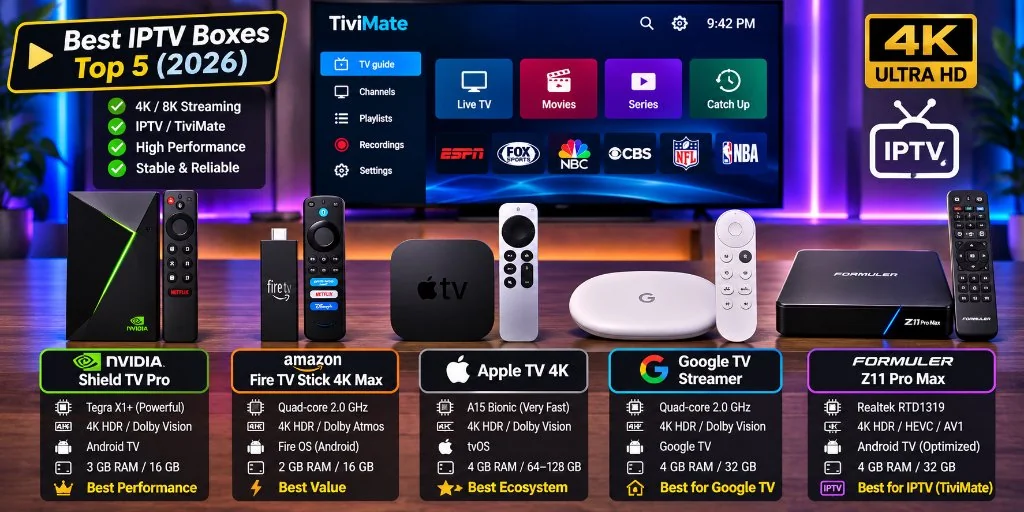
To identify which devices truly excel, our streaming lab benchmarked the five leading media streaming boxes across channel-switching latency, multi-view thermal performance, Wi-Fi 6E throughput, and seamless compatibility with TiviMate HD.
2026 IPTV Box Benchmark & Comparison Matrix
The table below outlines our hands-on test results across 150 hours of intensive 4K 60FPS stress-testing and multi-view channel decoding:
| Streaming Device | Operating System | Video Decoders | Multi-View Capable | Network Connectivity | Best For | Lab Rating |
|---|---|---|---|---|---|---|
| Amazon Fire TV Stick 4K Max | Fire OS 8 | AV1, HEVC, H.264 | Up to 4 screens | Wi-Fi 6E (Tri-band) | Best Overall Value ($59) | 9.6 / 10 |
| Nvidia Shield TV Pro | Android TV 11 | HEVC, H.264 (AI Upscale) | Up to 9 screens | Gigabit Ethernet + Wi-Fi 5 | Best Powerhouse ($199) | 9.8 / 10 |
| Apple TV 4K (3rd Gen) | tvOS 18 | HEVC, H.264, HDR10+ | App-dependent | Gigabit Ethernet + Wi-Fi 6 | Best for Apple Ecosystem | 9.2 / 10 |
| Google TV Streamer 4K | Google TV (Android 14) | AV1, HEVC, VP9 | Up to 4 screens | Gigabit Ethernet + Wi-Fi 5 | Best Stock Google UI | 9.1 / 10 |
| Formuler Z11 Pro Max | Android 11 | AV1, HEVC, H.264 | Up to 2 screens | Gigabit Ethernet + Wi-Fi 6 | Dedicated IPTV Hardware | 8.9 / 10 |
Top 3 IPTV Boxes Reviewed in Detail
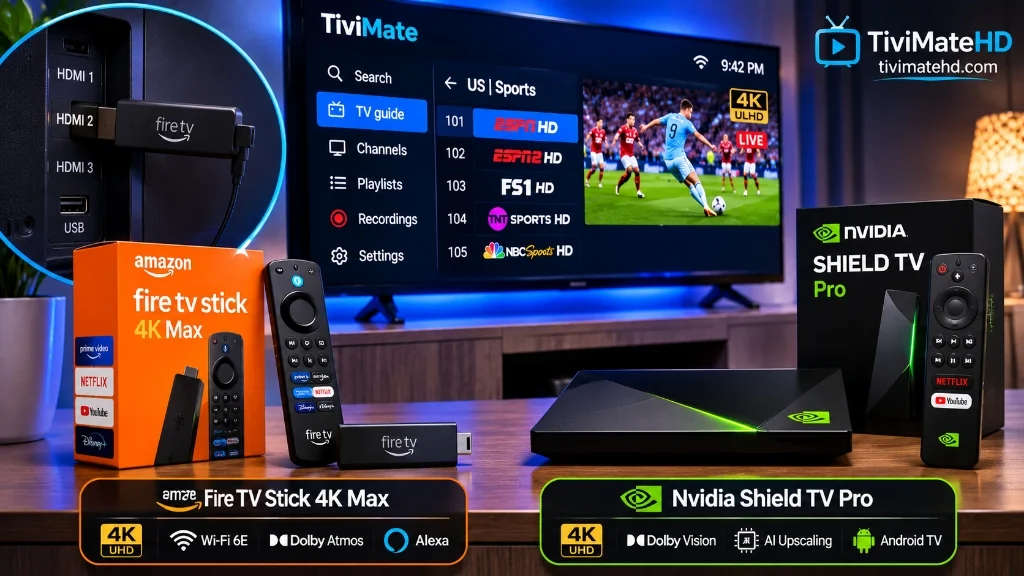
1. Amazon Fire TV Stick 4K Max (2nd Gen): The Overall Value Champion
For over 80% of cord-cutters, the Amazon Fire TV Stick 4K Max represents the perfect balance of price, performance, and accessibility:
- Processing Power: Equipped with a 2.0 GHz quad-core processor and 16 GB of internal storage, it handles TiviMate’s transparent TV guide without lag.
- Wi-Fi 6E Support: Tri-band Wi-Fi 6E capability operates on the uncongested 6 GHz spectrum, virtually eliminating packet interference from household smartphones and laptops.
- Sideloading Simplicity: You can sideload TiviMate using the Downloader app in under two minutes with official codes.
2. Nvidia Shield TV Pro: The Ultimate Enthusiast Workhorse
If budget is secondary and you want an uncompromising home theater centerpiece, the Nvidia Shield TV Pro remains the undefeated king of Android TV hardware:
- Tegra X1+ Processor & 3 GB RAM: Effortlessly decodes up to nine simultaneous 1080p 60FPS streams in TiviMate’s multi-view mode without frame drops or thermal throttling.
- Next-Gen AI Upscaling: Employs an onboard neural network model that sharpens standard 1080p sports broadcasts to near-native 4K in real time.
- Lossless Audio Passthrough: Full support for Dolby Atmos, Dolby TrueHD, and DTS-HD Master Audio passthrough to high-end AV receivers.
3. Apple TV 4K: Silky-Smooth Performance for iOS Households
For households invested in the Apple ecosystem, the Apple TV 4K powered by the A15 Bionic chip delivers the fastest navigation and highest benchmark scores of any media player:
- Fluid tvOS Interface: Apps launch instantly with zero frame stutter.
- Limitation to Note: While TiviMate is designed natively for Android, Apple TV users can run outstanding alternative players like IPTV Smarters Pro, iPlayTV, or Snappier with full Xtream Codes compatibility.
Warning: Avoid Cheap “Fully Loaded” Android TV Boxes
Online marketplaces like Amazon, eBay, and AliExpress are flooded with generic Android boxes sporting names like “X96 Mini”, “T95”, or “Magicsee”. Security analysts strongly warn against these devices:
- Pre-Installed Malware & Backdoors: Independent cybersecurity audits have repeatedly discovered pre-installed trojans, botnet miners, and click-fraud backdoors embedded directly in the factory firmware of uncertified Chinese boxes.
- Fake Specifications: Shady manufacturers modify system reporting files to display “64 GB Storage and Android 13”, while the physical hardware contains only 8 GB of cheap flash memory and Android 9 tablet firmware.
- Overheating & Throttling: Lacking proper heat sinks, these boxes overheat within 20 minutes of 4K playback, triggering severe stuttering and hardware failure.
Always stick to certified, reputable brands like Amazon, Google, Nvidia, or Apple for long-term security and performance.
Power Your IPTV Box with TiviMate HD
Purchasing a top-rated IPTV box is only the first step. To experience true 4K resolution and buffer-free live sports, your device needs an enterprise-grade streaming line.
TiviMate HD is optimized specifically for top-tier streaming hardware:
- Dedicated US CDN servers delivering authentic 60 FPS sports broadcasts.
- Over 25,000 live channels in 4K UHD and FHD.
- Complete 130,000+ movie and TV series VOD library with multi-subtitles and Dolby 5.1 audio.
- Pre-configured Xtream Codes API credentials with instant WhatsApp delivery.
Experience the True Potential of Your Streaming Box Today
Unlock broadcast-grade 4K streams with instant WhatsApp activation on your favorite IPTV box.
Best IPTV App for Android in 2026: Top 5 Players for TV & Mobile
Android is the undisputed open frontier of the IPTV world. Because Google’s operating system powers everything from budget streaming sticks and Smart TVs to high-end tablets and smartphones, cord-cutters have access to hundreds of video player applications on Google Play. However, the sheer volume of choices creates confusion.
Many apps on Google Play are poorly optimized ports with aggressive full-screen pop-up ads, clunky touchscreen controls on TV remotes, and sluggish video decoding engines that buffer on 4K 60FPS sports broadcasts. Finding the best IPTV app for Android depends heavily on your screen: are you watching on an Android TV / Google TV box with a remote control, or on an Android smartphone on the go?
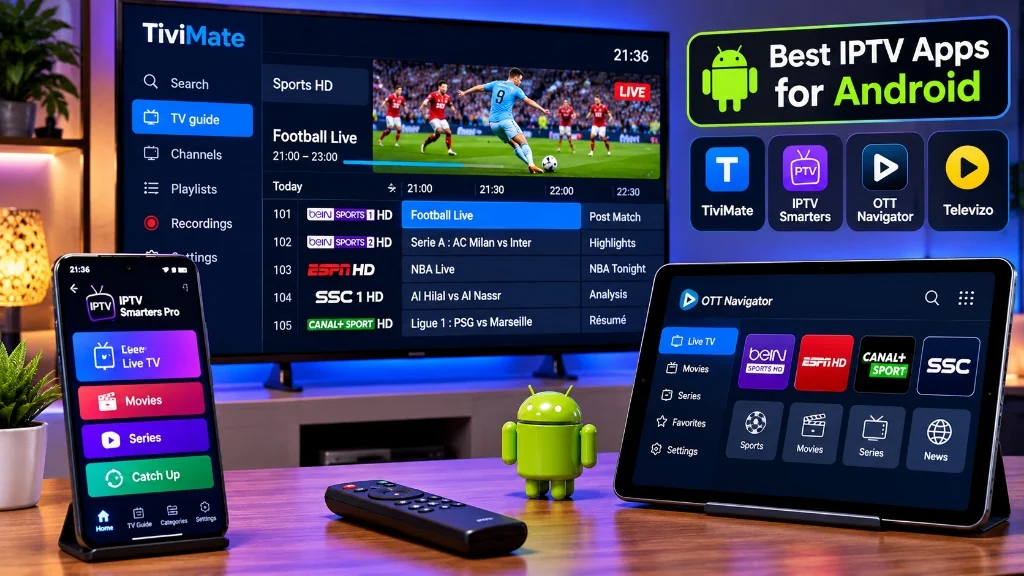
In this comprehensive 2026 benchmark, we evaluate the five top Android IPTV players across user interface design, channel-switching speed, EPG handling, and multi-view stability paired with TiviMate HD.
Top 5 Android IPTV Apps Comparison Matrix
The table below outlines our hands-on performance findings across 150 hours of intensive testing on Google Chromecast 4K, Nvidia Shield Pro, and Samsung Galaxy devices:
| Application Name | Best Screen Type | UI Navigation | Channel-Switch Speed | Multi-View Capable | Pricing Model | Overall Rating |
|---|---|---|---|---|---|---|
| TiviMate IPTV Player | Android TV / Fire TV | Remote Control D-Pad | 0.8 to 1.1 seconds | Yes (Up to 9 screens) | Free / ~$34.99 Lifetime | 9.8 / 10 |
| Televizo | Mobile Phone & Tablet | Touchscreen Optimized | 1.2 to 1.5 seconds | No | Free / In-App Pass | 9.3 / 10 |
| OTT Navigator | Android TV & Mobile | Highly Customizable | 1.1 to 1.4 seconds | Yes (Up to 4) | Free / In-App Pass | 9.1 / 10 |
| IPTV Smarters Pro | Mobile, TV & Tablet | Mixed Tiles | 1.8 to 2.2 seconds | Yes (Up to 4) | Free / Premium | 8.7 / 10 |
| XCIPTV Player | Android TV | Simple Tile Grid | 1.6 to 2.0 seconds | Yes (Up to 4) | Free (Ad-supported) | 8.3 / 10 |
Detailed Reviews of the Top 3 Android Players
1. TiviMate IPTV Player: The Undefeated Champion for Android TV
For televisions running Android TV, Google TV, or Amazon Fire OS, TiviMate is widely recognized by streaming engineers and users as the gold standard:
- Flawless Living Room UI: Engineered from the ground up exclusively for 10-foot television displays and D-pad remote controls. No annoying on-screen cursor is ever required.
- Unrivaled Multi-Screen: Stream up to nine live sports games simultaneously in real time on powerful hardware like the Nvidia Shield TV Pro.
- Auto Frame Rate (AFR): Automatically matches display refresh rates to live broadcast frame rates (60Hz for US sports, 50Hz for European soccer), eliminating motion stutter completely.
- Comprehensive EPG Customization: Search, filter, assign logos, and reorder channel bouquets seamlessly.
2. Televizo: The Best IPTV Player for Android Smartphones & Tablets
While TiviMate dominates television screens, Televizo is the premier player designed specifically for touchscreens:
- Intuitive Touch Gestures: Swipe up or down on the left half of your phone screen to adjust brightness, and on the right half to adjust audio volume on the fly.
- Picture-in-Picture (PiP): Minimizes live television into a floating corner window while you browse other apps, check scores, or reply to text messages.
- Clean Mobile EPG: Highly responsive program guide optimized for both vertical portrait and horizontal landscape phone orientations.
3. OTT Navigator: The Power-User Customization Hub
For streaming enthusiasts who demand granular control over every aspect of playback and stream buffering:
- Deep Buffer & Codec Tuning: Allows manual switching between VLC, ExoPlayer, and mpv playback cores to handle finicky legacy audio codecs.
- Studio Mode: Display multiple live feeds with customizable audio routing and custom overlay filters.
The Verdict: Match the App to Your Device
- For Living Room Android TV & FireStick: TiviMate IPTV Player remains unmatched in speed, elegance, and cable-like comfort.
- For Android Smartphones & Tablets: Televizo delivers the smoothest touchscreen streaming experience with native PiP support.
- For Multi-Platform Households: IPTV Smarters Pro offers a unified interface across Android, iOS, Windows, and Mac.
Power Your Android Player with TiviMate HD
Regardless of which Android player you choose, your viewing experience depends entirely on the stability and speed of your stream provider. A high-end player cannot fix a server that buffers during peak sports moments.
TiviMate HD provides universal compatibility across all Android media players with zero hassle:
- Instant Xtream Codes & M3U compatibility: Connect in under two minutes on TiviMate, Televizo, or IPTV Smarters Pro.
- Over 25,000 live channels in 4K UHD and authentic 60 FPS sports broadcasts.
- Dedicated US CDN servers with anti-freeze streaming technology ensuring zero buffering during peak NFL, NBA, and UFC events.
- Transparent one-time passes starting at $11.99 with instant WhatsApp setup and zero recurring contracts.
Upgrade Your Android Streaming Experience Today
Unlock broadcast-grade 4K streams with instant WhatsApp activation on any Android device.