
Table of Contents
The Frustration of ‘No Information’ and Why EPG Matters
A television service without a working Electronic Program Guide (EPG) feels incomplete. Instead of viewing upcoming football matchups, movie start times, and episode synopses, your screen displays endless rows of frustrating gray boxes labeled “No Information”.
Finding the best epg for tivimate is one of the highest-impact improvements you can make to your home streaming setup. An EPG feeds structured XMLTV metadata into TiviMate’s interface, transforming raw video links into an interactive television schedule complete with high-resolution channel logos and seven-day catch-up links.
In this 2026 guide, we evaluate the best free and premium XMLTV guide sources, explain how to configure multi-source EPGs in TiviMate, resolve timezone time offsets, and demonstrate why TiviMate HD provides the most reliable pre-mapped EPG experience on the market.
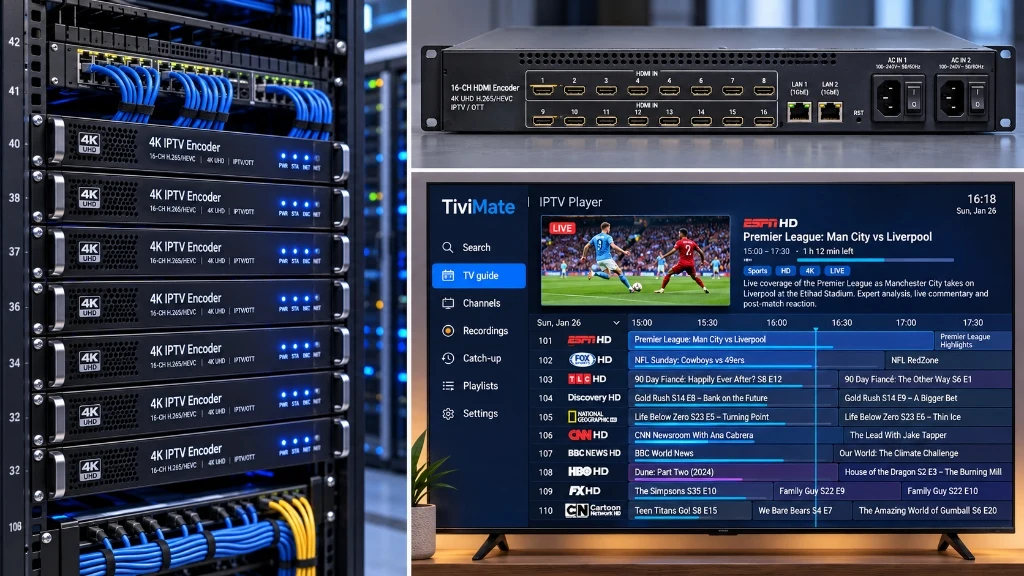
What Is an XMLTV EPG and How Does TiviMate Use It?
An Electronic Program Guide is fundamentally an XML-formatted text file that catalogs television schedules across broadcast networks:
- Channel Identifiers: Pairs channel tags (such as
tvg-id="ESPN.us") with visual channel logos. - Programme Schedules: Specifies start times, end times, program titles, director names, and episode summaries.
- Catch-Up Flags: Identifies which past broadcasts are available in the provider’s replay archives.
TiviMate automatically downloads this XML file (often compressed as a .xml.gz archive to save bandwidth), parses the program schedules, and displays them seamlessly across the timeline grid.
3 Ways to Add the Best EPG to TiviMate
1. Using Provider Pre-Mapped EPG (Recommended)
The cleanest solution is choosing a provider that pre-maps every channel on the server level. When you log into TiviMate HD using the Xtream Codes API, your EPG URL is injected automatically. You never need to type external URLs or manually map channel IDs.
2. Adding Secondary Public XMLTV Sources
If your primary provider lacks data for niche regional or international channels, TiviMate Premium allows you to add secondary EPG sources:
- Open TiviMate and navigate to Settings > EPG > EPG sources.
- Select Add source.
- Choose Enter URL and input a reliable XMLTV URL (such as EPGshare or IPTV-org EPG mirrors).
- Assign a descriptive name and click Done.
3. Assigning Manual EPG Channels
If a specific channel displays “No Information” while the rest of your guide works:
- Open the TV Guide and highlight the problematic channel.
- Long-press the Select button on your remote to open the Channel options menu.
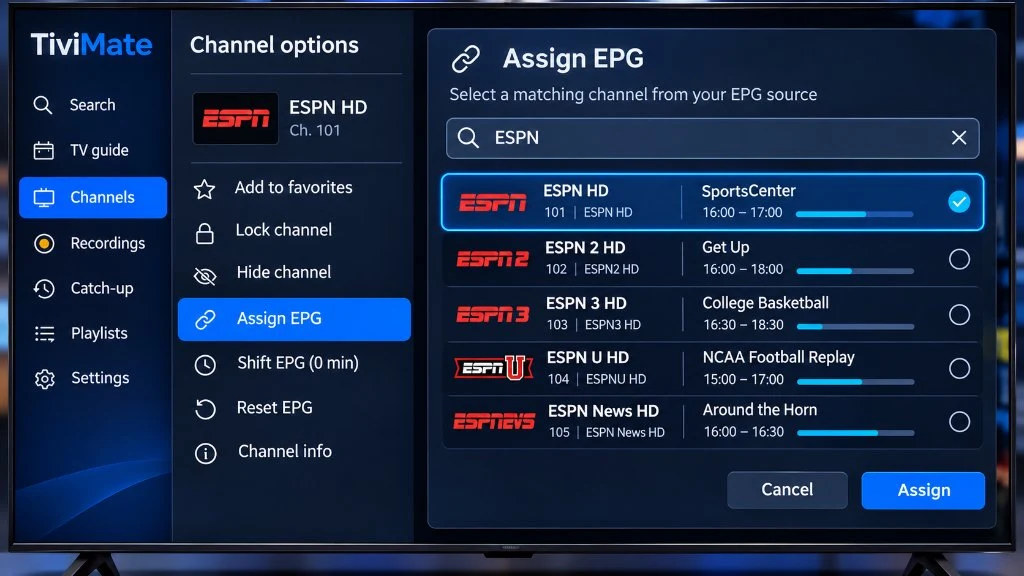
- Scroll down and select Assign EPG.
- Search for the channel name in your active EPG database (e.g., search “ESPN” or “CBS Sports”).
- Select the matching guide entry. TiviMate will immediately link the program timeline to that channel.
How to Fix Common TiviMate EPG Issues
Fix 1: Resolving Timezone Offset (Programs Off by 1-2 Hours)
If your guide shows the 8:00 PM movie playing at 7:00 PM or 9:00 PM:
- Go to Settings > EPG > EPG sources.
- Select your provider’s EPG.
- Click Time offset.
- Adjust the slider (e.g., +1:00 or -1:00) until program titles align with live television broadcasts.
Fix 2: Forcing an EPG Database Clear and Refresh
If your guide fails to update after daylight saving time or displays outdated data:
- Go to Settings > EPG.
- Scroll to the bottom and click Clear EPG data.
- Click Update EPG. TiviMate will wipe its local cache and download fresh schedule data.
Experience Zero-Effort EPG with TiviMate HD
Tired of broken XMLTV links and missing show descriptions? TiviMate HD delivers complete, automated guide synchronization:
- 100% Pre-Mapped US Lineup: Instant program schedules for all major networks, sports packages, and regional channels.
- 7-Day Catch-Up Integration: Replay past games and episodes directly from your TV guide.
- High-Definition Channel Logos: Vibrant, uniform logos pre-cached for instant scrolling.
- Dedicated US CDN Servers: Anti-freeze streaming with 99.9% verified uptime.
Upgrade Your Viewing Experience Today:
- ⭐ 1-Year USA IPTV Premium Pass: $69.99 total ($5.83/mo — Staff Pick)
- 🔹 1-Month USA IPTV Pass: $11.99 (One-time test pass)