
Written by David Miller, Senior Streaming Systems Architect | TiviMate HD Tech Lab
Topic: Internet Protocol Television Fundamentals, Video Packet Architecture & Cord-Cutting Guide
✔ Verified & Aligned with ITU-T Recommendation Y.1901 Standards
If you have researched cord-cutting or searched for alternatives to expensive cable and satellite television, you have almost certainly encountered the term IPTV. With over 74,000 monthly search inquiries, “what is iptv” is one of the most frequently researched technology concepts on the modern web.
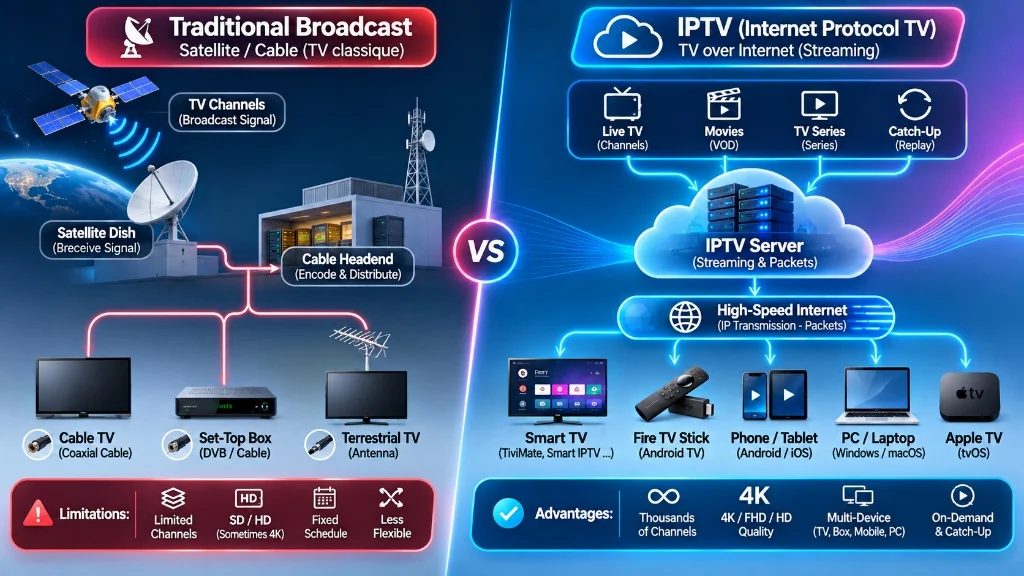
At its core, IPTV stands for Internet Protocol Television. Rather than receiving television signals via radio waves broadcast through the air (terrestrial TV), physical coaxial cables running into your home (cable TV), or a satellite dish mounted on your roof (satellite TV), IPTV delivers television programming directly through your high-speed internet connection using the same Internet Protocol packet networks that power websites and streaming apps.
In this beginner-friendly 2026 guide, we explore the fundamental mechanics of IPTV, explain how it differs from services like Netflix or traditional cable, demystify core streaming protocols, and provide a clear roadmap for getting started with TiviMate HD.
How IPTV Works: The Technical Foundation
To understand IPTV, consider how traditional television functions: In standard cable and satellite systems, the provider broadcasts every single channel down the wire simultaneously in a continuous, unrequested stream. Your television tuner box simply filters out all other frequencies and isolates the specific channel frequency you selected. This requires massive physical copper cabling and expensive proprietary set-top boxes.
In contrast, IPTV operates on an on-demand packet model:
- Channel Request: When you select a channel on your media player, your device sends a request packet across your internet connection to the provider’s server.
- Packet Transmission: The server receives your request, splits the video into small data packets, and transmits them back to your IP address using standardized protocols (such as HLS or MPEG-TS).
- Hardware Decoding: Your media player reassembles these data packets, decodes the video frames using hardware acceleration, and displays the live broadcast on your screen in real time.
- Bandwidth Efficiency: When you change the channel, the server stops transmitting the previous channel and begins streaming the new one.
This client-server architecture saves enormous amounts of network bandwidth and allows IPTV systems to offer tens of thousands of channels that would physically overwhelm a traditional cable wire.
The Three Core Formats of IPTV Services
Modern IPTV platforms deliver content across three distinct formats:
1. Live Television (Linear Streaming)
Watching live broadcasts in real time, exactly like traditional cable television. This includes live sports events (NFL, NBA, Premier League), breaking news broadcasts (CNN, Fox News, BBC), and prime-time network television (ABC, CBS, NBC).
2. Time-Shifted TV (Catch-Up & Start-Over)
Allows viewers to replay broadcasts that aired hours or days earlier. If you missed a live news broadcast or sporting match, time-shifted media allows you to navigate backwards through your Electronic Program Guide (EPG) and stream the archived broadcast on demand.
3. Video on Demand (VOD)
An extensive library of recorded movies and full television series that you can browse and watch at any time, complete with pause, rewind, fast-forward, and subtitle controls.
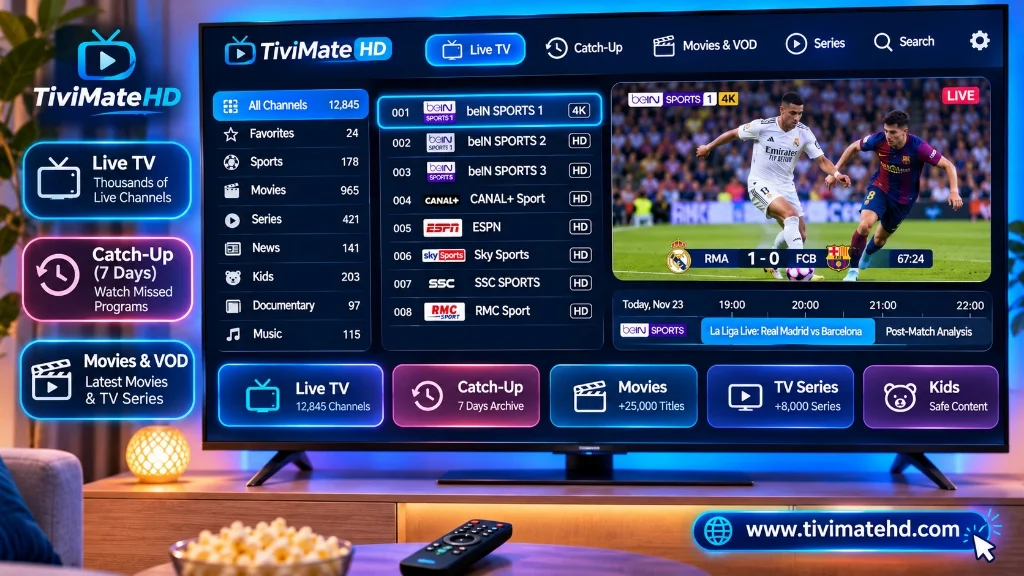
IPTV vs Traditional Cable vs OTT Streaming: A Comparison
The table below highlights the key differences between traditional broadcast methods, consumer OTT apps, and a premium IPTV service:
| Feature | Traditional Cable / Satellite | OTT Apps (Netflix, Prime) | Premium IPTV (TiviMate HD) |
|---|---|---|---|
| Transmission Medium | Coaxial Cable / Satellite RF | Internet (Over-the-Top) | Internet Protocol (IP) |
| Average Cost | $120 to $160 / month | $15 to $25 / month per app | $5.83 / month ($69.99/year) |
| Live Sports Coverage | Yes (With regional fees) | Very limited / None | Complete (All leagues in 60 FPS) |
| Channel Selection | 150 to 250 channels | No linear channels | 25,000+ live 4K channels |
| Hardware Required | Proprietary rented cable box | Smart TV, phone, or tablet | FireStick, Smart TV, PC, Apple TV |
| Contract Required | Yes (1 to 2 year commitments) | No | Zero contracts (One-time passes) |
What Do You Need to Get Started with IPTV?
Setting up an IPTV system in your home requires just four basic components:
- High-Speed Internet: A stable broadband connection of at least 15 Mbps for 1080p FHD streaming or 25 Mbps for 4K UHD broadcasts.
- A Streaming Device: An affordable media player such as an Amazon Fire TV Stick 4K Max, Google TV device, Apple TV 4K, Smart TV, or PC.
- An IPTV Player App: A dedicated application like TiviMate IPTV Player, IPTV Smarters Pro, or IBO Player.
- A High-Performance IPTV Service: The stream provider that delivers your channel credentials. For a complete walkthrough on entering credentials, follow our Xtream Codes API Setup Guide.
Why Choose TiviMate HD as Your IPTV Provider?
Not all IPTV services are created equal. Many budget services operate unstable servers that buffer during peak viewing hours. For an in-depth breakdown of provider quality standards, consult our guide on the Best IPTV Service in 2026.
TiviMate HD provides enterprise-grade infrastructure designed for modern cord-cutters:
- Over 25,000 live channels in 4K UHD and 60 FPS sports
- 130,000+ updated movies and series in our on-demand library
- Dedicated US CDN servers with anti-freeze streaming technology
- Pre-configured Xtream Codes API and M3U playlists with automated EPG
- Transparent one-time passes starting at $11.99 with instant WhatsApp setup
Start Your Cord-Cutting Journey Today
Choose a transparent, one-time access pass with instant WhatsApp activation:
Frequently Asked Questions
What does IPTV stand for?
IPTV stands for Internet Protocol Television. It is the delivery of television programming and video content using Internet Protocol (IP) networks rather than traditional terrestrial, satellite, or cable television formats.
How is IPTV different from OTT services like Netflix?
While both stream video over the internet, Over-The-Top (OTT) services like Netflix focus primarily on on-demand catalogs. IPTV replicates the live television experience with linear channel guides, live sports, scheduled broadcasts, and real-time EPG data.
Is IPTV legal and safe to use?
Yes, IPTV technology itself is completely legal. It is the underlying standard used by major telecommunications companies worldwide. Choosing a verified provider that operates secure infrastructure ensures a safe and reliable viewing experience.
What internet speed do I need for smooth 4K IPTV streaming?
For standard Full HD 1080p streaming, a stable connection of 15 to 25 Mbps is recommended. For 4K Ultra HD and 60 FPS live sports, a broadband speed of 40 Mbps or higher ensures buffer-free playback.